The Website Launch Checklist.
Everything a service business site needs before it goes live, so it books jobs from day one.
- Why most sites launch broken in ways nobody notices for months
- The one-job-per-page rule that makes visitors act
- Findability, speed, and capture, in owner language
- The full printable pre-flight checklist
The download link is headed to your inbox. Give it a minute or two, and check spam or promotions if it hides.
Instant delivery. No spam, unsubscribe anytime.
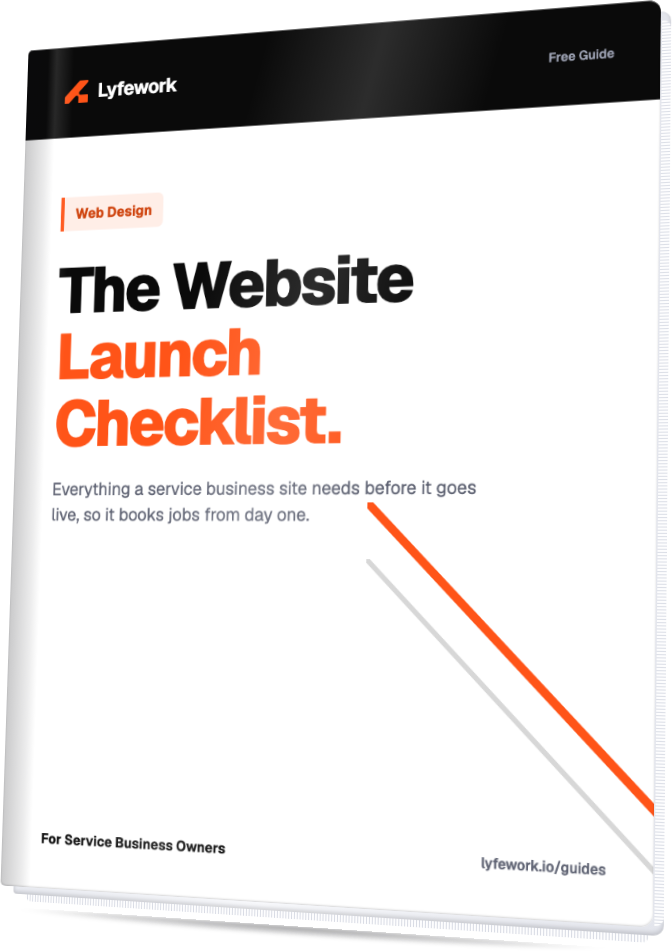
Everything your website needs before it goes live, so it gets found and starts booking jobs from day one.
Why This List Exists
Most service business websites launch broken in ways nobody notices right away. The site looks finished. It has a logo, a phone number, some photos of past jobs. But underneath, half the wiring that makes a site actually work for a business was never connected. No map for search engines to follow. No real photo of the crew. A contact form that fails quietly and nobody ever sees the message land.
The site goes live, everyone moves on to the next thing, and two months later the owner is wondering why the phone never rings from the website.
This is the pre-flight list the pros run before any site goes live, and it holds up just as well as a check-up for a site that has been live for a while but was never actually finished. Work through it section by section, then use the printable version at the end before you flip the switch.
Before You Build
Pick one address for your business and use it everywhere. Decide once whether you are "www dot yourbusiness dot com" or just "yourbusiness dot com," then use that exact version on your business cards, your ads, and every listing you claim. Splitting traffic between two versions of the same address confuses search engines and quietly weakens both.
Make sure your hosting is set up so browsers trust the site on sight. A visitor should never land on a warning screen before they even see your homepage.
Give every page one job. A homepage trying to sell five services, list three awards, and push a coupon all at once ends up asking a visitor to do nothing, because nothing on the page actually stands out. Decide, before you build, which single next step you want a visitor to take on each page: call, book, or request a quote.
Content
Name every service on its own page if you offer more than a couple. "Plumbing" does not get found in a search. "Water Heater Repair" does.
If you serve specific towns or neighborhoods, say so in writing on the page itself, not just in your head. A roofer who covers five towns but never types those town names anywhere on the site is invisible to anyone searching for a roofer in any of them.
Use real photos: your actual crew, your actual trucks, your actual finished work. A stock photo of a generic person in a hard hat tells a visitor nothing, and often reads as a stock photo on sight, which quietly signals the business might not be real or local.
Make your phone number tap to call on every single page, not just the contact page. On a phone, someone who has to copy a number and switch apps to dial it usually just leaves instead.
Findability
Give every page its own title and description, the text that shows up in search results and in link previews. Keep the title under 60 characters and the description between about 120 and 160 characters. Every page needs its own version, not a copy of the homepage's.
Bake your business details, name, address, phone number, hours, service area, directly into the page in a format search engines can read on their own, not just text a person reads. This is what lets your hours and reviews show up directly in a search result instead of forcing someone to click through to check.
Claim and completely fill out your listing on the map: hours, photos, service area, all of it. For a local service business, more people often find you there than through your own website, so make sure the two point to each other.
Give search engines a map of your own site, a simple file that lists every real page so nothing gets missed, and mark the pages that are not worth their time, like a checkout confirmation, so those stay out of search results.
Make sure email from your business address lands in inboxes instead of spam. It is a setting behind the scenes rather than something on the site itself, but it gets missed constantly, and a quote that lands in someone's spam folder is a lost job either way.
Speed and Phones
The site should load and be usable on a phone in under about three seconds on an ordinary connection, not just the wifi in your office. Most people finding you are standing on a job site or sitting in a truck, not at a desk.
Everything should work with one thumb: buttons big enough to tap without zooming in, menus that open with a single tap, forms that do not force someone to squint and type an address into a two-inch box.
Recheck speed every time you add something heavy, a video, a big photo gallery, an embedded map. Those are the most common reasons a fast site turns slow right after launch.
The site should be usable by everyone: older visitors, people with limited eyesight, anyone navigating without a mouse. Text that reads clearly against its background, buttons reachable by keyboard, and nothing that only makes sense if you can see color, a colored dot with no label means nothing to someone who cannot see it.
Capture
Every form on the site has to go somewhere real. Submit it yourself and confirm that you, or whoever answers leads, actually receives the message. A form quietly wired to nowhere, or an inbox nobody checks, is the single most common way a site loses jobs without anyone noticing.
Reply fast, automatically if you can. Someone who fills out a form expects to hear something back within minutes, not days. Even a short auto-reply confirming you got it and telling them when to expect a call is often enough to stop them from calling the next name on their list.
If people can book directly, an estimate, a consult, a service call, make that step easy to find. Do not bury it three clicks behind a "Contact" link.
After Launch
Set up the free tool search engines give site owners so you can see what people are actually typing to find you, and get an alert the moment something breaks, a page going down, a form silently failing.
Ask happy customers for reviews as an ongoing habit, not a one-time push. A steady trickle of recent reviews builds more trust, and gets you found more often, than one big batch followed by months of silence.
Watch the first month closely. Confirm leads are actually arriving, the phone number and forms still work, and the site still loads fast after any small tweaks. The first thirty days catch problems that a "set it and forget it" launch misses completely.
The Printable Checklist
Before You Build
- One address chosen for the business (www or bare) and used everywhere
- Hosting set up so browsers trust the site with no warnings
- Every page has one clear next step for the visitor
Content
- Every service named on its own page
- Every city or neighborhood served written out on the site
- Real photos of the crew, trucks, and finished work
- Phone number tap to call on every page
Findability
- Unique title (under 60 characters) on every page
- Unique description (120 to 160 characters) on every page
- Business details built into the page for search engines to read directly
- Map listing claimed, fully filled out, and linked to the site
- Site map file in place so every page gets found
- Business email set up to land in inboxes, not spam
Speed and Phones
- Loads in under about three seconds on a phone
- Every button and menu usable with one thumb
- Speed rechecked after adding video, galleries, or embeds
- Text readable, keyboard usable, nothing relies on color alone
Capture
- Every form tested and confirmed to reach a real inbox
- Fast or automatic reply set up for new leads
- Booking step visible and easy to find
After Launch
- Free search visibility tool set up and connected
- Review request habit in place
- First month watched closely for leads, forms, and speed
Your Next Step
Running this whole list yourself takes real time, and it is easy to miss the items you cannot see just by looking at the site. If you would rather know exactly where your current site stands, get a free visibility scan at lyfework.io/audit, or book a call at lyfework.io/book and we will walk through it with you.
Want this as a clean PDF for your team?
Send Me the Guide