
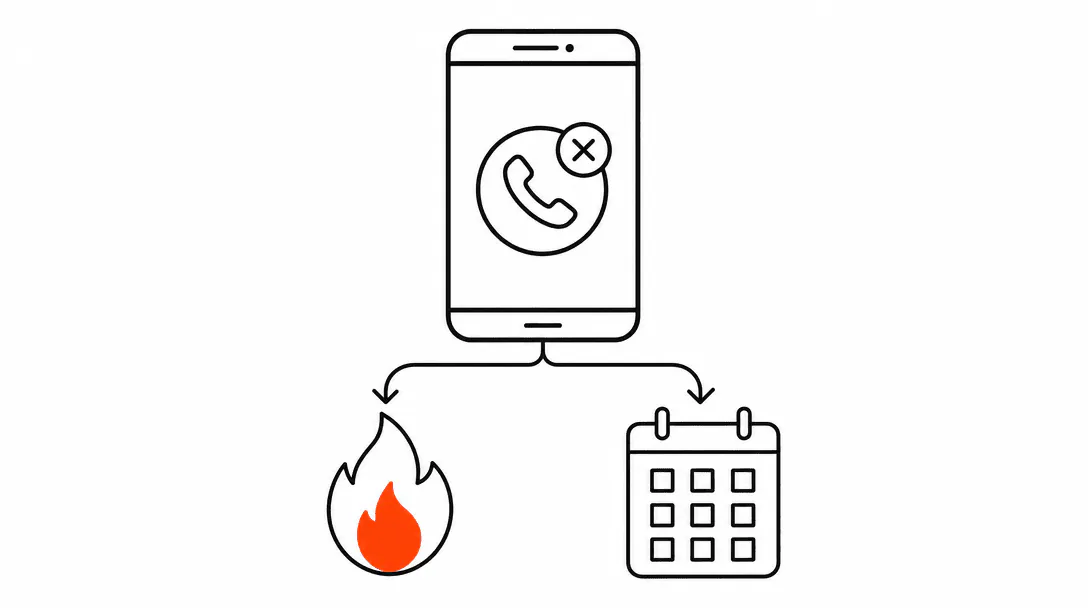
Every after-hours missed call gets the same reply: "Thanks for reaching out! We'll be in touch soon." The message fires in seconds, the owner feels covered, and that is where most systems stop. But two contacts arrive in the same ten-minute window on a Tuesday night. One is someone asking about a spring HVAC tune-up. The other has water coming through the ceiling. A single generic text-back cannot tell the difference, and that gap costs real jobs.
This post covers the full routing architecture that sits behind a basic missed-call text-back: how to tier your inquiries by urgency, what the qualifier conversation looks like in practice, how the emergency path differs from the standard booking path, and what the owner sees each morning. The missed-call text-back is the front door. This is the building behind it. Advanced routing is one of the systems in our AI Automation services, which builds the full after-hours lead-response stack for service businesses in Stuart, Jupiter, Port St. Lucie, and across Florida's Treasure Coast.
Why does a single text-back fall short?
A single text-back falls short because urgency varies enormously across after-hours contacts, and a generic reply gives the same experience to every situation regardless of how time-sensitive it is. Knowing how fast to respond to a lead matters less if your response does not match the nature of the request.
Consider the numbers. Research from InsideSales and MIT found that contacting a lead within five minutes is roughly 100 times more effective than waiting thirty minutes. That gap compounds when the situation is urgent: a caller dealing with a burst pipe, a gas smell, or a complete HVAC failure in August is not comparing your price to a competitor's. They are calling whoever answers first and answers with some acknowledgment that this is an emergency.
of inbound leads never receive any response at all, and the average reply time for those that do is 42 hours.
When we build an after-hours routing system, the first conversation we have with the client is about urgency tiers, because a plumbing flood at 2am and a "can I get a quote sometime?" message need completely different paths. A single text-back reply treats them the same, which means the emergency caller gets the same unhurried "we'll be in touch" that the quote-seeker gets. In an emergency, that reply reads as indifference, and the caller moves on.
A plumbing company we onboarded had exactly this dynamic. Their standard text-back said "Thanks for reaching out! We'll be in touch soon" to every after-hours contact, including someone with a burst pipe who called three competitors in the next seven minutes and gave the job to the first one who responded with any urgency at all. The text-back fired. The job went elsewhere.
What are the urgency tiers and how do you set them?
Urgency tiers are the categories you assign to incoming contacts based on how time-sensitive the underlying situation is. Before you build any routing logic, you define two or three tiers that reflect your specific service type, then map each tier to a different response path.
For most service businesses, three tiers cover the realistic range:
- Emergency: active property damage, safety hazard, or total system failure that cannot wait until morning. For plumbing this is flooding, sewage backup, or no water at all. For HVAC it is no heat below 50 degrees or no cooling in extreme summer heat. For electrical it is a burning smell or a tripped breaker that will not reset.
- Same-day or next-day priority: a problem that is genuinely inconvenient but not causing active damage. A leaking faucet, an AC that runs but is not cooling well, a toilet that runs but still flushes. These need a booking soon, but an emergency escalation is overkill.
- Standard inquiry: price questions, maintenance scheduling, general information requests. No urgency. Route to a booking flow or a nurture sequence and follow up in the morning.
The tier definitions are specific to your trade. An HVAC company's emergency tier looks different from a salon's after-hours list (where emergencies effectively do not exist). Getting this right before you build the routing means the system sends people down the correct path from the first reply.
What does the qualifier conversation look like?
The qualifier conversation is a short two-question exchange, sent as text, that determines which path the caller goes down. It fires immediately after the first acknowledgment message and asks enough to route accurately without demanding an essay from someone who may be stressed.
Across the systems we've built, the most reliable format is a two-step exchange: first, ask what service they need (with a short list or an open prompt, depending on your trade); second, ask a direct urgency question. Something like: "Is this something that needs attention tonight, or can we schedule you for tomorrow or later this week?" The caller self-selects. Most people are honest about their own urgency because they want the right outcome.
You also set hard-keyword overrides that bypass the qualifier entirely. If someone texts back "flood," "gas leak," "no heat," "sewage," or any term you define as an automatic emergency, the system routes directly to the emergency path without waiting for the structured qualifier response. This matters because a stressed caller may not follow the prompt. They'll just type what's happening. The keyword triggers catch that.
The qualifier conversation also does something that a static text-back cannot: it creates a record of what the caller described. That record goes into the CRM (or your job management system) tagged by tier, so when a tech or the owner follows up, they already know the situation before the call starts.
What happens on the emergency path?
On the emergency path, the system immediately notifies an on-call tech or the owner via a separate channel, usually a direct phone call or a high-priority SMS to a dedicated number, with the caller's name, number, and a summary of what they described. The goal is to get a human on the phone with the caller within minutes, not hours.
The routing system itself sends an acknowledgment to the caller that reflects the urgency: something like "We have your info and someone will call you back within the next few minutes." That is a fundamentally different experience from "We'll be in touch soon." The caller knows they have been heard, and the expectation is set for an actual callback, not a vague future response.
If the on-call tech does not acknowledge the notification within a defined window (usually five to ten minutes), the system escalates: it notifies a backup contact or the owner directly. This failsafe is important because a notification that goes unacknowledged in the middle of the night is as useless as no notification at all. The escalation chain means the emergency path has redundancy built in.
A well-structured emergency path also logs everything. The caller's initial contact, the qualifier response, the notification sent, when it was acknowledged, and by whom. That log becomes part of the job record and, if the lead does not convert, part of the morning summary so the owner can see what happened and whether the path performed correctly.
How does the standard booking path work?
On the standard booking path, the system moves directly from the qualifier conversation into an automated booking flow without any human intervention required. This is how online booking for service businesses fits into an after-hours system: the caller confirmed this is not urgent, so the system can handle the rest.
The booking flow typically works like this. After the qualifier identifies a non-emergency, the system sends a message with a booking link (tied to your calendar or job management system), a short prompt telling the caller what to expect, and a confirmation that someone will be there at the booked time. The caller picks a slot, the system confirms it, and the job appears in your schedule before anyone on your team wakes up.
The important detail is that the booking link should reflect real availability. If your calendar shows Tuesday slots when your crew is already full, you create a customer service problem before the job even starts. Real availability sync, even if it is just a Google Calendar connection, prevents that. The system only shows times you can actually fill.
Callers who start the qualifier but do not complete the booking (they drop off after the first message, or they never click the link) go into the after-hours capture bucket: a follow-up sequence queued for the next business morning, with context from whatever they did respond with. The lead is not lost. It is just flagged for a human to close.
What happens to contacts who do not book right away?
Contacts who do not complete a booking enter a short nurture sequence. This is the group that texted back but never clicked the booking link, or responded to the qualifier but gave a vague answer, or got the initial text-back and went quiet. They are still a lead. They just need a different follow-up.
The sequence for this group is lightweight: a follow-up message the next morning referencing their contact from the night before, a second message two days later if there is no response, and a third message four or five days out. Research consistently shows that most conversions require multiple contacts, yet the majority of businesses follow up only once. The nurture sequence handles the subsequent touches automatically, so the owner is not manually tracking who to call back.
The tone matters here. Each message in the sequence should acknowledge that this person already reached out. "You contacted us Tuesday night about your AC" reads very differently from a cold "Are you still interested?" The context makes the follow-up feel like service, not pursuit.
What does the owner see each morning?
The morning summary is a digest, delivered at a consistent time (7am is common for trades), that covers every after-hours contact from the previous night. It is not a full CRM report. It is a brief, scannable summary: who called, what they said, which path they went down, and what the current status is.
For each contact the summary shows: the caller's name and number, the time of contact, the tier the system assigned (emergency, priority, standard, or inquiry), the outcome so far (emergency notified, booking completed, nurture queued, or no response), and a flag if anything looks like it needs the owner's attention before the day starts.
This is one of the most practically useful parts of the whole system. Owners who did not have a morning summary before tell us the same thing: they used to start the day not knowing what had happened overnight. Now they know in two minutes. If three people called about the same neighborhood (a localized outage or a storm event) they can see that pattern and respond accordingly. If the emergency path fired and the caller still has not been reached, the flag surfaces that before it becomes a real problem.
How does this fit into the broader conversion system?
After-hours routing is one piece of what it takes to turn website visitors and callers into paying customers. It handles the contact-to-response layer, but the broader system includes what happens on your website before someone calls, how your booking experience works when you are open, and how you follow up after a job is done.
The after-hours router feeds the same CRM and booking system your daytime operation uses. That means every contact, regardless of when it arrives, follows the same job lifecycle: inquiry, qualification, booking, reminder, delivery, follow-up. No separate "after-hours pile" that gets handled differently. The routing logic adapts to the time of contact; the downstream process stays consistent.
Getting the lead response layer right has a compounding effect. When after-hours contacts are captured, triaged, and either booked or in a nurture sequence by morning, the conversion work that happens in daylight hours is working from a full pipeline rather than a list of missed opportunities. The system does not create leads. It keeps the ones you've already earned from leaking out.