
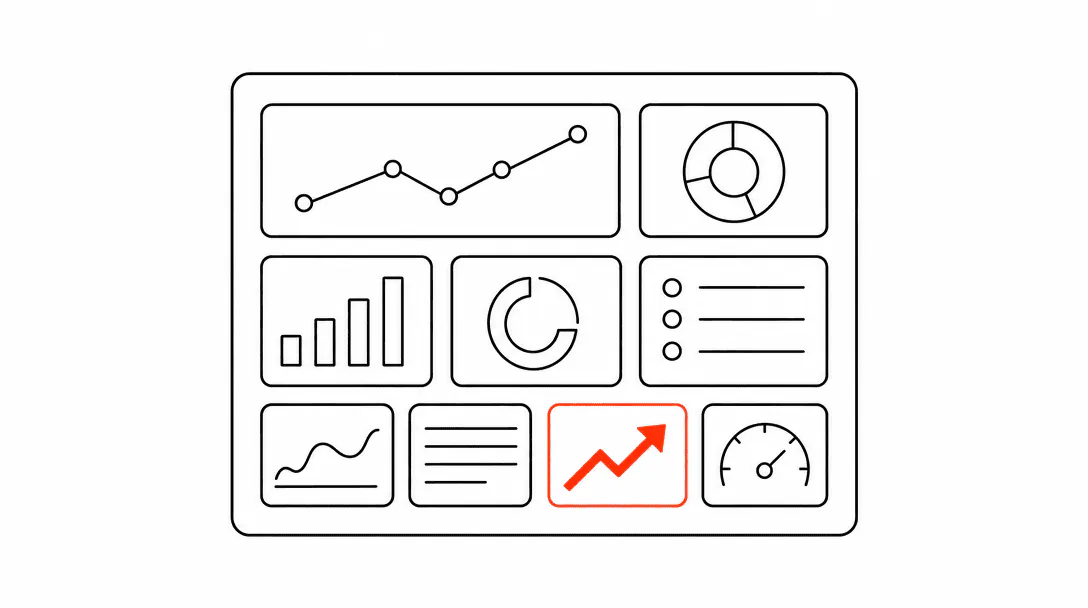
A visibility report is an accountability system. Its only job is to tell you, in ten minutes or less, whether the investment you made last month moved the needle and what to do next. If you finish reading your monthly report and cannot name one specific thing to change, the report is not doing its job. The three layers it should cover map directly to Lyfework's service pillars: getting found through search and maps, getting booked through your website and conversion system, and maintaining visibility across AI search.
This post is part of the How customers find businesses resource cluster. It focuses specifically on the metrics side: which seven numbers to track, where each one comes from, what each one is actually telling you, and how to spot the difference between healthy and broken at a glance. We will also cover how AI citation tracking fits into the picture now that AI Overviews and tools like ChatGPT have become part of how customers discover local businesses.
Why do standard SEO reports leave owners confused?
Standard SEO reports fail service business owners because they measure the wrong layer. Domain authority is a third-party score that does not predict whether a customer calls you. Backlink counts, social follower graphs, and keyword rankings measured at a national or non-geographic level tell you something, but they do not tell you whether a homeowner in the right zip code is finding your business when they need you.
We inherited a client account where the previous agency had been delivering a 30-slide monthly report with 40 different metrics. The business owner was a sharp person who ran a tight operation. But when we sat down with her, she could not identify a single change she would make based on that report. Not one. The problem was not her. The report was measuring activity, not outcomes. It was designed to justify the retainer, not to run the business.
We replaced it with a one-page dashboard showing seven KPIs, each with a green, yellow, or red indicator and a single "next action" sentence. Decision time went from zero to five minutes. That is the standard a visibility report should meet.
The root issue is that visibility for a local service business has three distinct layers: search engine visibility, local map pack visibility, and AI answer visibility. Each layer has its own metrics and its own levers. When you mix them together or track the wrong metrics entirely, the report becomes noise.
What are the seven KPIs a visibility report should track?
The seven KPIs are: impressions, click-through rate, average position, Google Business Profile views, direction requests, review velocity, and AI citation mentions. Each one maps to a specific layer of the visibility system, so when one turns red, you know exactly where to look.
Here is what each one measures and where to find it.
1. Impressions (Google Search Console)
Impressions count how many times your pages appeared in Google search results, regardless of whether anyone clicked. This is your reach signal. A flat or declining impressions trend over 90 days means your content is losing ground: pages are either slipping in rank, new competitors are pushing you off the first page, or you have not published anything to capture new queries.
Watch the 90-day trend, not the month-over-month number. Seasonality creates noise in short windows. A roofing company in South Florida will naturally see impressions spike before and after hurricane season. Measuring month-over-month during that swing will mislead you.
2. Click-Through Rate (Google Search Console)
Click-through rate (CTR) is the percentage of impressions that result in a click to your website. It tells you whether people who see you in search results actually choose to visit. A healthy overall CTR for a local service business typically sits above 3% across all queries, though branded queries and near-me searches will pull that number higher.
If impressions are rising but CTR is flat or falling, the problem is usually your title tags and meta descriptions. Your pages are getting shown; they are just not compelling enough to click. That is a copywriting fix, not a technical SEO fix. If both impressions and CTR are rising, the system is working.
3. Average Position (Google Search Console)
Average position is the mean rank of all your pages across all the queries they appear for. It is useful as a trend signal. A steady decline in average position across your most important service pages means you are losing ground to competitors. Google Search Console lets you filter by specific pages or query clusters, which is more useful than the aggregate number.
The nuance here is that average position can look healthy while masking a problem. You might rank well for informational queries (which are easier to rank for) and be sliding on high-intent transactional queries like "HVAC repair [city]". Always filter to your money pages before drawing conclusions.
4. Google Business Profile Views
Google Business Profile (GBP) views measure how many people saw your listing inside the map pack, which is the block of three local business listings that appears for most location-based service queries. This is a completely separate channel from your website, and for many service businesses it is actually the primary discovery channel.
A homeowner searching "roof repair near me" on their phone will often call directly from the map pack without ever visiting a website. If your GBP views are healthy but your website traffic is low, that is not necessarily a problem. What you want to watch is whether GBP views trend upward over time as you add content, accumulate reviews, and update your profile regularly. The GBP ongoing management guide covers the specific activities that move this number.
5. Direction Requests
Direction requests are the number of times someone clicked "get directions" from your GBP listing. For businesses with a physical location (a med spa, a dental office, a service truck depot), direction requests are one of the purest demand signals in the whole report. Someone who asked for directions intends to show up.
For fully mobile service businesses like HVAC contractors or plumbers, direction requests matter less, but they still signal discovery intent. Declining direction requests alongside declining GBP views typically points to a map pack ranking problem, often caused by a stale or incomplete GBP profile, or a competitor with significantly more reviews.
6. Review Velocity
Review velocity is how many new Google reviews you received in the reporting period, plus your current overall rating. It belongs in the visibility report because reviews directly affect both your map pack ranking and your ability to be cited by AI tools. Businesses with a higher volume of recent, detailed reviews consistently outperform thinner profiles in local search.
Of consumers regularly read Google reviews before choosing a local service business.
The number to watch is not just the count but the cadence. A business with 200 reviews and no new reviews in six months looks stagnant to both Google's algorithm and to customers reading the profile. A steady flow of three to eight new reviews per month, even for a small operation, signals an active, trusted business. The review request system you use matters here: businesses that automate the ask consistently outpace those that rely on customers volunteering.
7. AI Citation Mentions
AI citation mentions are instances where your business appears as a named source or recommendation inside tools like Google AI Overviews, ChatGPT, Perplexity, or similar. This metric is newer and requires a manual tracking process, but it is no longer optional.
AI Overviews already appear on a significant share of local service queries, and when they do, they reduce clicks to individual websites. Research from Ahrefs across a 300,000-keyword study found that position-1 organic CTR drops by roughly 58% when an AI Overview appears above it. That means your rankings can hold steady while your traffic from search falls. The only way to know whether this is happening to your business is to search your own money queries and see whether an AI Overview has inserted itself above your result.
Tracking AI citation mentions means checking, once a month, whether your business surfaces when you query ChatGPT or Perplexity with the questions your customers ask. "Best HVAC company in [city]?" "Who does kitchen remodels near [neighborhood]?" Five to ten queries per month, logged in a simple spreadsheet, is enough to spot trends. If you never appear, the visibility as an operations problem framework explains the structural reasons why and how to fix them.
How should the report actually be structured?
Structure the report as a single page with three sections: a snapshot row for the seven KPIs, a trends section showing each metric over the past 90 days, and a next-actions section with one sentence per metric that is yellow or red.
Color coding is not cosmetic. Green means the metric is on track and no action is needed this month. Yellow means the metric is flat or slightly declining and warrants a watch. Red means the metric has declined meaningfully and needs a specific intervention. The intervention should be written into the report itself, not left for a follow-up conversation.
We set this up for a med spa owner who had been receiving dense monthly PDFs from her previous vendor. The PDFs showed domain authority, social follower graphs, and backlink count charts. None of those metrics connected to appointment bookings. She had no way to know whether her visibility investment was working because she was measuring the wrong layer entirely. Once we moved to the seven-KPI format with color coding and next-action sentences, she could tell within five minutes of opening the report whether the month had gone well and what needed attention.
The report should be generated from a shared live dashboard wherever possible, not a static PDF. Static PDFs are often out of date the moment they are sent and require a conversation to interpret. A live dashboard your client can bookmark and check between reporting cycles creates an accountability structure that benefits both parties.
How do you actually read Google Search Console data for a service business?
Google Search Console is free and gives you the most authoritative data on how Google sees your site. For a service business, three reports matter most: the Performance report (for impressions, CTR, and position), the Pages report (to see which specific pages are driving traffic), and the Search results filtered by query type (to separate branded from non-branded queries).
The most common mistake is looking at the default 28-day window. Switch to 90 days as your standard view. Short windows hide the signal in week-to-week noise. When you look at 90 days, trend lines become legible: you can see whether impressions have been climbing steadily, plateauing, or declining across the quarter.
Filter by your most important pages: your homepage, your core service pages, and any location pages you have built. For each of those pages, what queries are driving impressions? Are the queries relevant? A roofing company ranking for "what is a hip roof" is getting impressions from informational curiosity, not from people who need a roofer. Impressions from the wrong queries inflate the metric without contributing to leads.
The position filter is also worth using carefully. If your service pages are averaging position 12 to 15 for key queries, you are on the second page of results, which means your effective visibility is close to zero. The goal for high-intent service queries is position 1 to 5 in organic results and map pack inclusion for local queries. Geo-grid rank tracking is the tool that shows you how your map pack position varies across different neighborhoods in your service area, which the standard Search Console report does not capture.
What does a healthy visibility system look like in the report?
A healthy visibility system shows these patterns across the seven KPIs over a 90-day period: impressions up or stable, CTR at or above baseline, average position holding or improving on priority pages, GBP views trending up, direction requests stable or growing, review velocity steady at three or more new reviews per month, and at least one AI citation appearing for a relevant query.
You will rarely see all seven green at the same time. That is fine. The report's value is in showing you which layer of the system is under-performing so you can concentrate effort there rather than working on everything at once or nothing at all.
The visibility stack has a natural sequence. Most service businesses should fix their GBP and review velocity before investing heavily in content. A business with an incomplete GBP profile and twelve total Google reviews across five years will not move the needle on map pack visibility regardless of how good the website content is. On the other hand, a business with a strong GBP, 80 reviews averaging 4.7 stars, and regular profile posts is in a position to benefit from content investment because the local trust signals are already in place.
When all seven KPIs are trending in the right direction simultaneously, the underlying system is working. The content cluster on how customers find businesses covers the full picture of how each layer connects to the next. If you want to see exactly what a working local search and visibility system looks like in practice, the Visibility page outlines how we build it for Treasure Coast service businesses.
How often should a service business review its visibility report?
Monthly is the right cadence for a full review. Weekly check-ins on a subset of metrics (GBP views and review velocity in particular) can be useful when you have just launched a new campaign or made significant changes to your GBP profile, but weekly reporting for the full set creates noise without additional signal.
Quarterly, pull a deeper comparison: 90 days versus the prior 90 days. This removes seasonal distortion and gives you a cleaner read on whether the system has improved over the period. If you made a specific intervention in month two (a new service page, a review request automation, an updated GBP description), the quarterly comparison will show whether it worked.
The reporting cadence also shapes the relationship between a business owner and whoever is managing their visibility. Monthly reports with clear next-action items mean conversations stay focused on outcomes rather than activities. "We published six blog posts this month" is an activity. "Impressions on your HVAC service page climbed 22% and you moved from position 9 to position 4 on 'AC repair [city]'" is an outcome. Every report should be readable at the outcome level.