
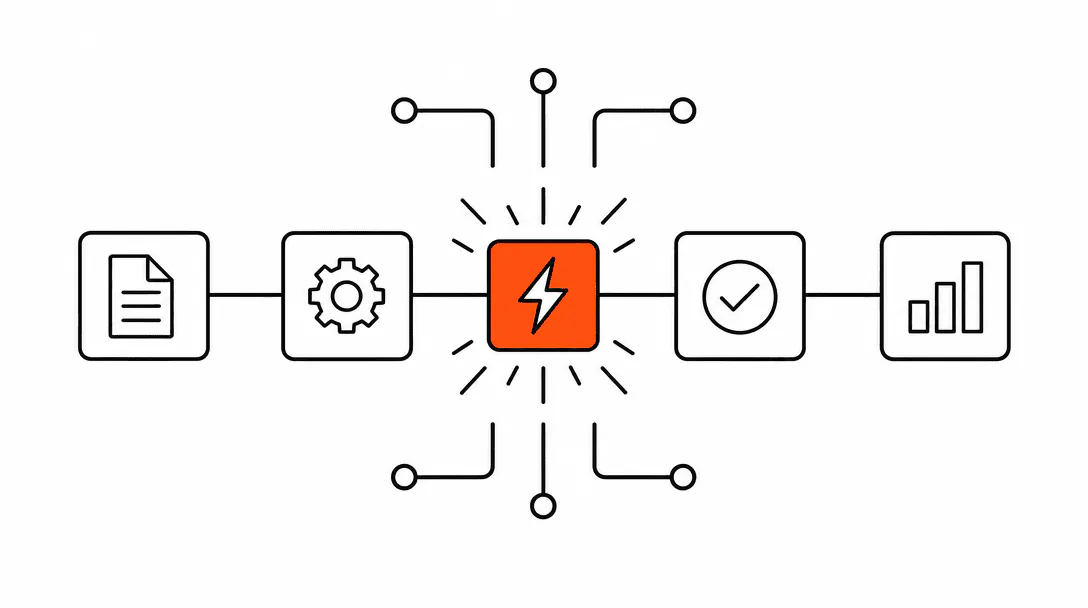
AI back-office automation means the work after a booking runs itself: the CRM record gets updated, the job gets created, the assigned technician gets notified, the customer gets a pre-job reminder, and the post-job follow-up gets queued, all without a human manually moving information from one place to another. The AI ops layer sits at the CRM and fires each of those actions as triggered events the moment a booking is confirmed.
This is a different problem from lead capture. Many service businesses have already fixed the front door: the website converts, the phone gets answered, the lead flows into the CRM. The leak happens in the back room. Every confirmed booking starts a chain of 12 to 18 individual steps. When those steps live in someone's head, or in a spreadsheet, or in a stack of sticky notes on the office manager's desk, the system is one resignation away from collapse.
What steps does a confirmed booking actually create?
A single confirmed booking typically creates between 12 and 18 downstream actions before the job is fully closed out. Most owners only discover this when they sit down and map it, because each step feels so small in isolation that the total never registers until it's drawn out on a whiteboard.
The common trail looks like this:
- Contact record updated in the CRM (source, job type, booking date)
- Opportunity or deal stage moved from "Lead" to "Booked"
- Job record created with scope, address, and access notes
- Job assigned to a technician or crew based on schedule and territory
- Technician notified via text or internal system with job details and address
- Materials check triggered (does inventory need to be pulled or ordered?)
- Pre-job confirmation sent to the customer (date, time, what to expect)
- 48-hour reminder queued for the customer
- Day-of reminder queued
- Internal prep checklist generated for the assigned tech
- Job completion trigger set (fires when the tech marks the job done)
- Post-job thank-you message queued
- Review request queued (timed appropriately after the job close)
- Follow-up for rebooking or related services queued based on job type
That is the minimum. Businesses with more complex operations add permit tracking, subcontractor coordination, or financing follow-up on top. The point is: a single "yes" from a customer is not the end of the work. It is the beginning of a pipeline that someone has to run.
of small businesses using generative AI report efficiency gains, particularly in repetitive operations tasks.
Why does this fall apart without automation?
The back-office workflow breaks whenever the person holding it in their head is unavailable. That is the honest answer, and it is the version we see most often when we start a new systems engagement.
A pool renovation company we onboarded had an office manager who handled every post-booking step manually. When she left on short notice, the business discovered what she had actually been doing: she was the workflow. Three days of new bookings sat in a spreadsheet with nothing downstream. No techs had been assigned. No customers had been notified. No materials had been ordered. The owner was spending his evenings trying to reconstruct the trail from memory and text threads.
This is not an unusual situation. It happens to businesses at every size, and it happens for the same reason: when the process lives in a person rather than a system, the process leaves when the person does. The goal of back-office automation is to move the process into a system that does not resign, call in sick, or forget a step because it got busy.
There is a second failure mode that does not require anyone to leave. Busy periods stretch the human system past capacity. When a crew goes out on a larger-than-expected job, the technician notifications for three other bookings sit unsent. When the phone is ringing all afternoon, the CRM updates pile up. Steps get done late or not at all, and the customer never knows why the communication went quiet. They only know it did.
How does an AI ops agent actually run the workflow?
An AI ops agent sits at the CRM layer and watches for trigger events. When a contact moves to a specific pipeline stage, or a field value changes, or a form submission lands, the agent fires the first action in the sequence and hands off to the next trigger point.
This is different from a basic "if this, then that" automation in one key way: the agent can handle branching logic and compose outputs rather than just copying data. A standard automation can move a field value from one place to another. An AI ops agent can look at the job type, the customer's prior history, the technician's current schedule, and the scope notes, then write a contextually appropriate pre-job message to the customer rather than sending a static template. It can route the job to the right tech based on territory rules and current workload. It can decide whether a materials order trigger is necessary based on what is already in inventory versus what the job requires.
To understand how this layer of intelligence fits into a broader operations architecture, the post on what an agentic system actually is covers the underlying structure in more detail. And if you want to understand where basic automation ends and this kind of agent begins, AI agents vs automation draws that line clearly.
The practical build looks like this: every trigger point in the booking trail becomes a node in the system. Each node has a condition, an action, and an exception path. The condition fires the action when the right data is present. The exception path routes to a human review queue when the data is incomplete or when the situation falls outside the system's scope. Nothing gets silently skipped.
What does the customer experience when back-office automation is running?
From the customer's side, the booking process feels more professional and more reliable than with a manual system, not less human. They get a confirmation message promptly after booking, a 48-hour reminder, a day-of reminder with any relevant prep instructions, and a post-job check-in that feels personal because it references the specific job that was done.
The experience gap between an automated system and a manual one shows up most clearly in timing. A manual process sends the confirmation when someone gets around to it. An automated system sends it within minutes of the booking being confirmed. That speed signals to the customer that the business is organized, that their booking actually registered, and that someone is on top of the job before it starts. Businesses that pair this with a website built to convert and capture bookings efficiently see the biggest gains, because the website feeds the automation layer with clean, structured booking data from the first contact.
The AI client onboarding agent covers the early-stage touchpoints in more depth. The post on AI no-show and reschedule automation covers what happens when a booking falls through and needs to be recovered. Both are part of the same operational layer described here.
What actually gets built when we wire this up?
The back-office workflow map is always drawn on a whiteboard in the first client session, and it is always longer than the owner expected. They have been doing each step manually, so each step felt small. When you see them all together, it is usually 12 to 18 individual actions per booking. Most of those are perfectly automatable once they are mapped and the trigger logic is defined.
The first thing we build is the trigger architecture: the list of events in the CRM that should fire downstream actions, and the priority order for those events. Then we build each action node: what data it reads, what it writes back to the CRM, and what it sends externally (message to customer, notification to tech, internal flag for review). Then we test the full trail with a staged booking before the system goes live.
The exception paths take the most time and are the most important part. Any automated system that does not have exception handling is brittle. A job reassignment, a scope change after booking, a customer who asks to reschedule mid-trail: each of these creates a branching condition that the system needs to handle without human intervention when possible, and route clearly to a human when not. We build those paths before the system goes live, not after the first edge case surfaces in production.
After the initial post-job follow-up, the system also queues the review request at the right interval. That piece connects to a broader retention and reputation loop: the AI feedback and survey agent covers how the post-job touchpoint becomes a structured data collection point, not just a thank-you message.
Is this the right next step for your business?
Back-office automation makes the most sense for businesses that have a repeatable service workflow and a real volume of bookings flowing through. If you are booking fewer than five jobs a week, the manual process probably handles the volume without too much strain. If you are booking 15 or more and any of your downstream steps are happening inconsistently, the cost of the gaps is real: missed follow-ups, late technician notifications, customers who feel forgotten between booking and job day.
The other indicator is dependency on one person. If a single employee handles the majority of the post-booking trail and their departure or absence would create a backlog, the system needs to move out of that person's head. Not because the person is not reliable, but because a system that runs on one person's reliability is not a system. It is a bet.
The businesses that get the most from this layer are the ones that have already fixed lead capture and are now losing time and revenue in the operational back end. If the front door is working, this is the next place to build. See how the full AI operations stack is structured on the get automated page, or review the capabilities overview to understand what fits where across web, search, and AI systems.