
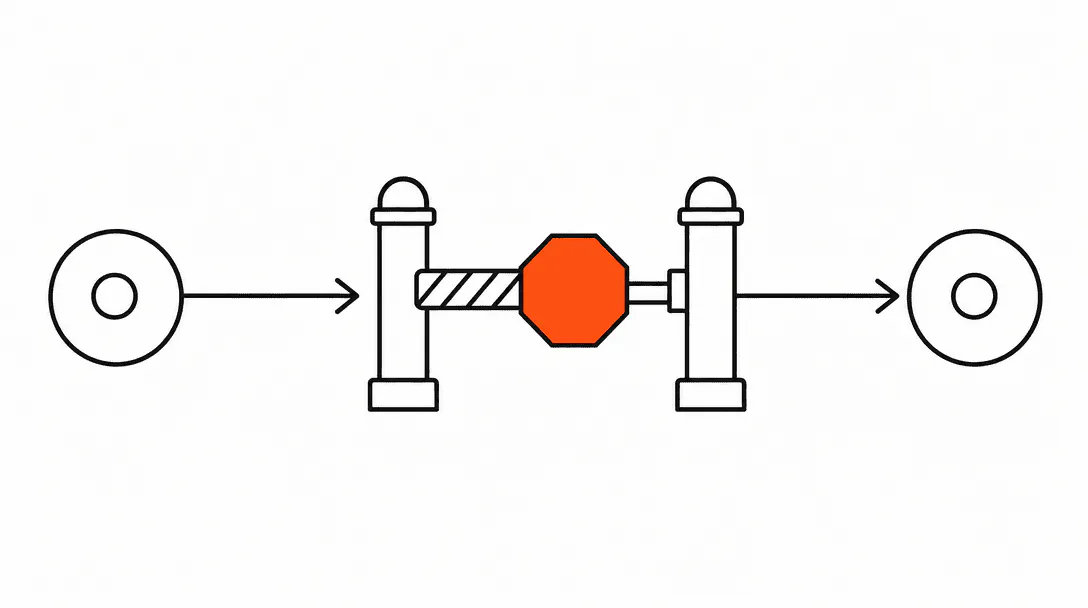
An automation exit condition is a rule that removes a contact from an active workflow when something happens that makes continuing inappropriate. Without one, a sequence keeps firing regardless of what the person does in the real world: they book, they pay, they show up, and your system still sends them a "haven't heard from you" text the next morning.
This post is part of the business automation guide for service companies. It covers the three distinct ways to stop a workflow early: goal events, stop triggers, and suppression tags. Each solves a different problem, and most builds need all three working together.
What is an exit condition and why does it matter?
An exit condition is any logic that pulls a contact out of a running automation before the sequence completes its final step. It matters because automations are built for people who haven't acted yet. The moment someone acts, the sequence is no longer appropriate for them.
Think about a follow-up sequence for a new inquiry. It's designed to nudge someone who hasn't responded. If that person books on day one, the follow-up messages from day two, three, and four are now noise at best and a credibility problem at worst. The client just handed you money and your system is asking them to "reach out when they're ready." That's the kind of moment that makes someone wonder whether your business actually has its act together.
Exit conditions are the mechanism that keeps your automations coherent. They're what makes the difference between a system that feels attentive and one that feels like a broken robot.
What is the difference between a goal event and a stop trigger?
A goal event ends the workflow because the contact succeeded. A stop trigger ends it because something changed that makes continuing inappropriate, such as a cancellation, a complaint, or an opt-out. Both remove the contact from the sequence, but for different reasons.
Goal events are tied to the outcome the workflow was designed to achieve. In a lead-nurture sequence, the goal is usually a booking. Set "Appointment Booked" as the goal event, and the moment that tag or pipeline stage appears on the contact, they exit cleanly. In a post-inquiry follow-up, the goal might be a form submission. In a re-engagement sequence, it might be any inbound reply. The goal tells the system: this person did the thing. Stop.
Stop triggers cover the situations where the contact hasn't reached the goal, but shouldn't receive any more messages from this particular workflow. A cancellation is the clearest example. If someone cancels their appointment and gets enrolled in a cancellation-recovery flow, they should simultaneously exit any reminder sequences they were still running. A complaint tag or an opt-out keyword response are others. The goal wasn't reached, but continuing would make things worse.
Both need to be configured deliberately. The system doesn't infer intent. It only acts on rules you give it.
What are suppression tags and when should I use them?
A suppression tag is a label applied to a contact that blocks them from being enrolled in one or more automations. Use suppression tags for contacts who have opted out of a specific type of message, who are mid-service and should not receive re-engagement messages, or who belong to a segment that a particular workflow should never reach.
Suppression is most useful for preventing enrollment in the first place, rather than stopping a sequence mid-run. A re-engagement automation (the kind that targets contacts who haven't booked in 90 days) should have an enrollment filter that checks for an "Active Client" tag before adding anyone to the sequence. If the tag is present, they never enter. That's cleaner than letting them enroll and then trying to exit them mid-sequence.
Common suppression scenarios in service business CRMs:
- Active retention tag: blocks dormant-client re-engagement while someone has upcoming appointments on the books
- Complaint or escalation tag: prevents any marketing or nurture sequences from reaching someone who has a live issue
- VIP or custom-handled tag: marks contacts who should receive personal outreach only, keeping them out of automated sequences entirely
- SMS opt-out tag: blocks all SMS-based workflows while leaving email sequences intact, so you're honoring the opt-out without silencing all communication
A good naming and tag schema makes suppression logic much easier to maintain. When every suppression tag follows the same naming convention, you can audit them quickly and apply them consistently across multiple workflows.
What are the most common exit condition mistakes in CRM automations?
The most common mistakes are: no goal event on follow-up sequences, no removal trigger on cancellations, and conflicting enrollment triggers that add a contact to multiple overlapping workflows at once.
Exit conditions are the last thing most builders check and the first thing that creates embarrassing errors. Across the systems we've built, a lead-nurture sequence without a goal event will keep messaging someone who already booked and paid. We've seen clients receive four follow-up texts after a completed appointment because nobody set the goal. The sequence ran to completion. It did exactly what it was designed to do. The design was just wrong.
Here are the three mistakes we catch most often on audits:
No goal event on follow-up sequences. The sequence fires every step regardless of whether the contact responded, booked, or paid. Fix: set the booking event, form submission, or inbound reply as the goal at the workflow level so contacts exit the moment any of those happen.
No removal trigger on cancellations. When a contact cancels an appointment, they often stay active in reminder sequences that are now irrelevant. Worse, they sometimes get enrolled in a re-engagement sequence while still having an open cancellation on record. Fix: any cancellation action (pipeline stage change, tag applied, appointment status update) should trigger removal from all open appointment-related sequences.
Conflicting enrollment triggers. Two workflows fire on the same event, they share some of the same steps, and now the contact is receiving duplicate messages from different sequences on the same day. This is especially common when a practice inherits workflows from a previous operator who didn't document what triggers what. Fix: audit your enrollment triggers for overlap, and check that similar workflow types aren't running in parallel on the same contact segments.
How do exit conditions apply to no-show recovery sequences?
A no-show recovery automation needs especially careful exit condition design because it's reaching out to someone who is already in a sensitive situation. They missed an appointment. The window for rescheduling them is narrow, and the tone has to be right.
The goal event here is a reschedule booking. The moment the contact books a new appointment, they should exit the no-show recovery sequence entirely. If they don't exit and the sequence continues, they'll receive messages telling them you're trying to reach them while they already have a new appointment on the calendar. That's confusing for them and reflects poorly on your operation.
Stop triggers for no-show recovery should include: any inbound reply (let a human or AI take over once someone responds), a cancellation or account closure event (stop pursuing a contact who has explicitly ended the relationship), and a maximum-attempts limit if you build that logic in manually.
The average business takes 42 hours to respond to an inbound lead, and 23% never respond at all.
No-show recovery is one place where speed matters and persistence has a hard ceiling. Getting the exit conditions right means you push hard while there's a window and stop cleanly once that window closes or once the contact re-engages.
How should exit conditions work in appointment reminder automations?
For appointment reminder automations, exit conditions need to account for three scenarios: the appointment is cancelled, the appointment is rescheduled, or the contact has already confirmed.
Cancellation is the most critical. A contact should exit all reminder sequences the moment their appointment is cancelled. If the cancellation also triggers a recovery sequence, that flow should start fresh rather than continuing the reminder cadence with different messaging.
Rescheduling is trickier. When an appointment is rescheduled, the old reminder sequence should stop and a new one should enroll based on the new appointment date. If your CRM creates a new appointment record on reschedule, the enrollment trigger on new appointments handles this automatically. If it modifies the existing record, you may need a specific reschedule event to trigger the swap.
Confirmation exits are useful for long reminder sequences. If a contact confirms four days out, you might exit them from the full sequence and re-enroll them in a shorter "day-before" sequence only. This keeps the total message volume down for contacts who are clearly engaged.
What should I check before launching any new automation?
Before any workflow goes live, run through this checklist to verify that exit conditions are in place.
- Goal event: Is the primary outcome this workflow exists to drive set as the goal? If the contact reaches that outcome, will the sequence stop?
- Cancellation removal: If the contact cancels an appointment or closes their account, is there a trigger that removes them from this sequence?
- Opt-out handling: If someone replies STOP or an equivalent keyword, does the workflow honor that immediately?
- Inbound reply gate: If the workflow is a nurture or follow-up sequence, does an inbound reply pause or exit the automation so a human can respond?
- Enrollment filter: Does the workflow check for suppression tags before enrolling? Are there any contacts currently in the target segment who should be excluded?
- Overlap audit: Is there another active workflow with a similar enrollment trigger? Could the same contact end up in both?
- Test contact run: Have you run a test contact through the full sequence and verified that triggering the goal event actually exits them at the right step?
That last item is the one most builders skip. Running a test contact through and then manually triggering the goal event is the only reliable way to confirm the exit logic fires correctly. A workflow that looks right in the builder doesn't always behave the way you expect at runtime.
What does a missing exit condition actually look like in the real world?
A chiropractic clinic we audited had a re-engagement sequence that fired to contacts who hadn't been in for 90 days. Standard setup, reasonable goal. The problem was that the enrollment filter only checked the "Last Visit Date" field. It didn't check for active upcoming appointments.
A client booked and attended an appointment early in the week. Because the system calculated their "90-day window" based on a visit date that hadn't yet synced, they enrolled in the re-engagement sequence anyway. They received a message telling them they "hadn't been in for a while" three days after sitting in the treatment room. The client called the front desk, confused about whether their appointment had even been recorded.
The fix was a two-part enrollment filter: Last Visit Date more than 90 days ago and no upcoming appointments in the next 30 days. No new contact reaches that sequence unless both conditions are true. No exit condition was needed for this particular case because the enrollment filter handled it upstream. That's the cleaner solution when you can build it: prevent the wrong enrollment rather than recover from it mid-sequence.
Getting this architecture right from the start is part of how we build the automation systems we deliver to service businesses. Every sequence we build includes exit logic, enrollment filters, and suppression rules wired in before launch. If you are also thinking about the online presence that feeds leads into these automations, our visibility service handles the upstream work of getting your business found in local search and AI results.