
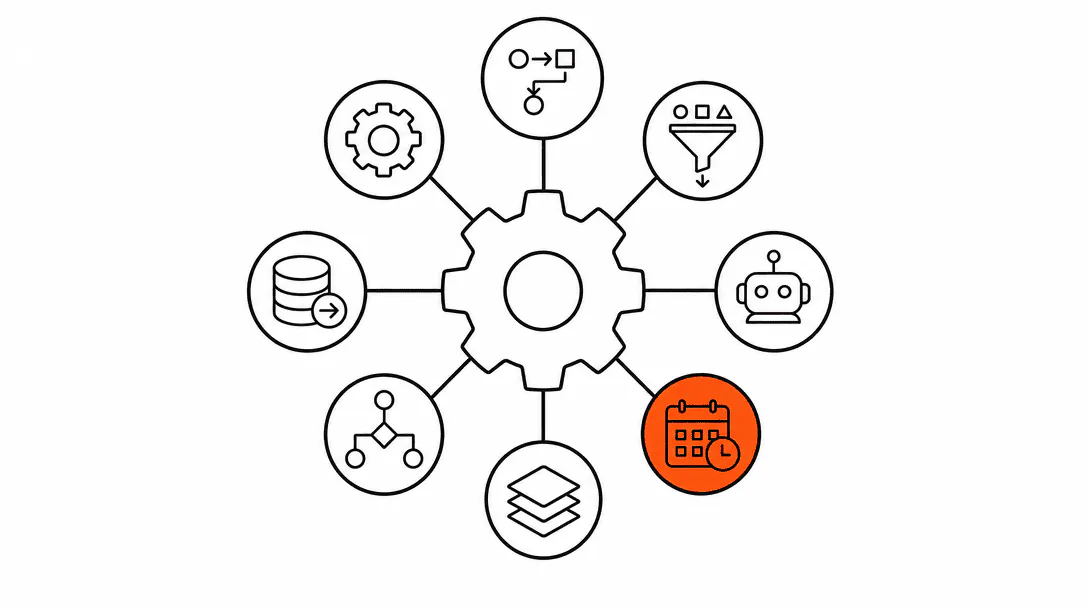
Business automation for service companies means replacing the repeatable tasks your team does manually every day with systems that handle them consistently, on time, every time. That covers confirmations, reminders, lead follow-ups, review requests, re-engagement sequences, and more. The work still gets done. It just does not depend on someone being available to do it.
This guide maps the full territory. It covers what to automate, the order that makes sense, what each pattern does in practice, and what it costs to build. Every section links to a deeper resource if you want to go further on any one piece. If you want the short version: eight core patterns cover roughly 90% of what a service business needs. Build those first, then extend.
What is business automation for a service company, exactly?
Business automation is a set of rules wired into your CRM or operations platform that trigger the right message or action at the right moment, without a person having to remember to do it. A customer books online: a confirmation goes out in seconds. A job is marked complete: a review request fires the next morning. A lead goes quiet: a follow-up sequence starts on its own. The trigger, the timing, and the message are all defined once. Then the system runs it.
This is different from a software tool that gives your team more features to use. Features require a person to use them. Automation requires a person to set them up once. After that, it runs on its own.
It is also worth separating automation from AI agents, since people use the terms interchangeably and they are not the same thing. Automation follows a fixed sequence: if this happens, do that. An AI agent reads context and decides what to do next. Both are useful. For most service businesses, the right order is to build the automation layer first and layer AI agents on top later. You can read more about the distinction in our breakdown of AI agents vs automation.
What are the eight core automation patterns?
Eight patterns cover the overwhelming majority of what a service business needs to automate. They are not the only automations worth building, but they are the ones that affect revenue and operations every single day. When we onboard a new service-business client, we run through this same 8-pattern audit. We almost always find 4 or 5 of them completely missing, not broken, just never built. That gap is what this guide covers.
Here is what each pattern does:
1. New lead capture and response
When someone fills out a form, calls and does not connect, or sends a message through any channel, this pattern fires an immediate response. The goal is contact within 60 seconds. The research on this is not subtle: leads contacted within 5 minutes are roughly 100 times more likely to connect than leads reached 30 minutes later (InsideSales/MIT, 2007). This is the highest-leverage automation in the stack. Everything downstream depends on capturing the lead first.
The most common entry point is missed-call text-back, covered in more detail in the full post on why service businesses lose leads.
2. Appointment confirmation
The moment a booking is made, a confirmation goes to the customer with the date, time, service, and any prep instructions. This is not a courtesy. It is the first signal that your business is organized and professional. It also surfaces scheduling errors before they become no-shows, because customers will reply to a confirmation if something is wrong.
3. Appointment reminders
A reminder 24 hours out (and sometimes 2 hours out for same-day) brings down no-show rates significantly. The customer does not have to have your number saved or remember to check their calendar. Your system handles it. Service businesses that run reminders consistently report no-show rates that are a fraction of what they deal with when reminders are skipped.
4. No-show recovery
When a customer does not show up, the job is not done. An automated no-show recovery sequence fires within minutes to check in, offer to reschedule, and make it easy to rebook. This pattern recovers revenue that would otherwise disappear quietly. Most businesses without it just write the no-show off and move on.
5. Post-visit follow-up
After a completed job, the relationship should not go cold. A post-visit follow-up message checks in on the work, asks if anything came up, and keeps the business top of mind. Done well, it also creates the opening for the next booking before the customer has started searching again.
6. Review requests
Reviews are not incidental to how a service business grows. They affect which businesses show up in Google's local pack, how AI systems describe local options, and whether a potential customer calls or scrolls past. Asking for a review manually is something most businesses plan to do and most businesses forget. Automated review requests, sent after a job is marked complete and a check-in period has passed, generate reviews consistently rather than occasionally. Seventy-one percent of consumers regularly read reviews before choosing a local business (BrightLocal, 2025). The businesses that show up in those results got there partly by having a system, not just good intentions.
Average time it takes a business to respond to an inbound lead. About 23% never respond at all.
7. Dormant client re-engagement
Most service businesses have customers who used them once and then went silent. Not because they had a bad experience, but because life moved on and the business was not top of mind when the next need came up. A re-engagement sequence, sent at a defined interval after the last interaction, brings those contacts back into the conversation. It is one of the lowest-cost ways to generate new bookings because these people already know you.
8. Referral requests
Referrals are not an accident. They happen because someone had a good experience and, at exactly the right moment, was asked to share it. An automated referral sequence fires after a positive post-visit signal and makes it simple for a satisfied customer to forward your information or leave a note. Most businesses rely on organic referrals. Businesses with a referral system get them predictably.
What order should you build these in?
Build in impact order, not complexity order. The automation that will have the biggest effect on your business right now is not necessarily the one that is hardest to configure. For most service businesses, the priority sequence looks like this:
First: New lead capture and response. If leads are coming in and not getting an immediate reply, you are losing revenue before any other system gets a chance to help. This one pays for itself faster than anything else in the stack.
Second: Appointment confirmations and reminders. Once you are booking leads, keeping those bookings is the next thing that matters. These two run together and are relatively simple to set up.
Third: Post-visit follow-up and review requests. After the job is done, these two patterns extend the relationship and build your reputation at the same time. They are easy to bundle because both fire after a job completion event.
Then: No-show recovery, re-engagement, and referrals. Each of these handles a specific leak in the system. They are worth having but they are not the first priority.
The full decision framework, including how to score which patterns your business needs most urgently, is in the dedicated post on what to automate first.
What does this actually look like for a real service business?
A home-services company we worked with had two crews, a receptionist who was good at her job, and a business that was quietly losing ground. She was spending about three hours a day on calls and messages that had nothing to do with actual customer service: reading out appointment times people could have gotten in a text, reminding crews of jobs already on the schedule, and following up on leads that had gone quiet. Nothing complicated. Just repetitive.
When we ran the 8-pattern audit, five of the eight patterns were completely absent. The sixth was a manual process she was doing by hand. After the build, confirmations and reminders went out without anyone touching them. Lead responses fired within a minute of a form submission or missed call. Review requests went to customers the morning after a completed job. She stopped spending her mornings on the repeatable stuff and started spending it on the calls that actually needed a person.
The business did not change what it sold or how it priced it. The operations layer just started working the way it should have been working all along.
What can automation not do?
Automation handles volume and timing. It does not handle judgment, context, or relationships that require reading a situation. A good automated reminder gets someone to confirm their appointment. A good human conversation convinces a hesitant customer to go ahead. Both are necessary. The goal of automation is not to replace human contact but to make sure human contact is focused on the moments that actually require it.
There is also a category of work where agentic systems are better suited than basic automation. If a customer sends an after-hours message asking which service they need, a fixed automation cannot read that and route appropriately. An AI agent can. For those cases, the automation layer and the AI layer work together: automation handles the predictable sequences, AI handles the decisions that need real-time context.
The practical boundary: if you can write the rule as "when X happens, do Y," that is automation. If you need the system to understand what the person wants before it knows what to do, that is an AI agent. Most service businesses need both. They build automation first.
What do you need in place to run automation?
Three things: a CRM to store contacts and track where they are in your process, a platform to run the automation logic, and clear definitions of what triggers each sequence and when it should stop.
The platform we build on combines CRM, automation, SMS and email delivery, pipeline management, and booking in one place. The software cost is a small monthly line item, included in your plan. It is purpose-built for what service businesses need and it is the foundation we use for every client build.
The CRM piece matters more than most owners realize before they try to automate without one. Automation needs context: is this person a new lead or a past client? Did they confirm their appointment or just ignore the message? Did the job get completed? Without a CRM tracking those states, the automations fire at the wrong time or repeat themselves. The platform is what makes the logic work. The CRM is what makes the logic accurate.
Getting your data into shape before you build matters too. Contacts with missing phone numbers cannot receive SMS sequences. Duplicate records cause automations to fire twice. Spending a few hours cleaning the contact list before the build saves a lot of troubleshooting later.
What does it cost to automate a service business?
The ongoing platform cost is the smaller number: a modest monthly software fee, included in your plan, plus per-message costs for SMS that typically run to a few cents each at service-business volume. At low volume that is a rounding error. At high volume it is worth tracking but rarely a concern before other things are.
The build cost is a one-time fee that covers the setup, configuration, testing, and go-live of the automation stack. A professional build of the full 8-pattern stack typically runs several thousand dollars. Some businesses spend less and get a partial build. Others spend more for custom logic, AI integrations, or complex multi-location setups. The full breakdown of what drives cost up or down is in the post on automation cost.
The alternative to building it is to not build it. That has a cost too, it just does not show up on an invoice. It shows up in the leads that went cold because nobody followed up in time, the no-shows that could have been prevented, the reviews that were never requested, the customers who called a competitor because the line was busy. Those are real losses. They are just harder to see than a line item.
91% of small businesses using generative AI report efficiency gains (OECD D4SME Survey, 2025). The businesses reporting the biggest gains are not necessarily the ones with the most sophisticated AI. They are the ones that closed the gap between the work that needed to happen and the system that made it happen without relying on a person to remember.
How does automation connect to visibility and growth?
Automation and visibility are more connected than they look from the outside. Reviews are a direct example: the businesses that show up well in local search and in AI-generated answers about local services are usually the ones with the most consistent review volume over time. That review volume comes from having a review request system, not from randomly asking satisfied customers when you remember to. Visibility is an operations problem as much as it is a marketing one, and the review-request automation is one of the clearest places where those two things meet.
The connection extends further. When a lead contacts a business that responds in under 60 seconds and confirms their appointment automatically, that experience creates a customer who trusts the business before the first job is done. Trust produces reviews. Reviews produce visibility. Visibility produces more leads. The automation stack is not just an efficiency layer. It is part of how the business builds the reputation that shows up in search.
Where do you go from here?
If you are starting from scratch, the answer is to build lead capture and response first. Get that working reliably before you build anything else. Once it is solid, add confirmations and reminders, then post-visit follow-up and review requests. At that point you will have the core of the stack running and you can layer in the remaining patterns based on what your business actually needs.
If you already have some automation in place and want to audit what is missing, run through the eight patterns against what you have. Chances are good that three or four are absent or are partial builds that do not fire reliably. Every gap in the stack is a place where something that should be happening is not.
Each of the eight patterns has its own deepdive in this cluster. Start with the one that matches your biggest gap. The posts on why service businesses lose leads and on AI agents vs automation are good entry points if you are still figuring out where the boundaries are between the layers of your system.
When you are ready to get these systems built, our automation and AI receptionist service covers the full 8-pattern build for service businesses on Florida's Treasure Coast. If the priority is getting found by more local customers first, our local SEO and visibility service handles the upstream work that puts leads into your automation system in the first place. And if your website needs to be designed to actually convert those visitors into bookings, our web design service closes that gap.