
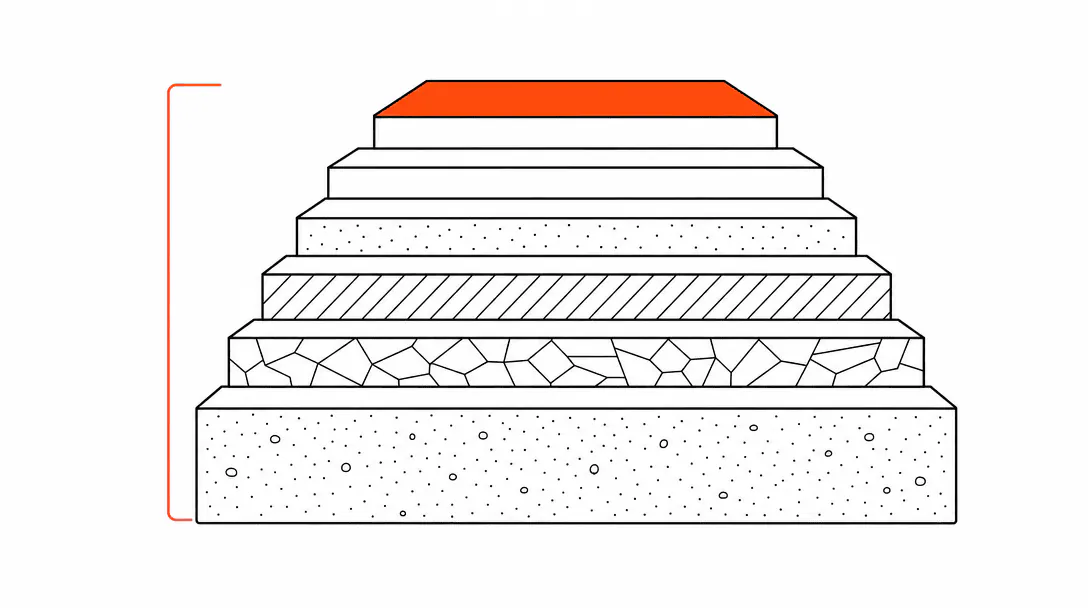
A service business website needs six things before visibility, leads, or any marketing investment makes sense: ownership and hosting you control, performance that passes Core Web Vitals, a clear conversion path (form, phone number, booking link), local search signals tied to your actual trade and location, structured data that tells search engines and AI systems what you do, and monitoring so you know when something breaks. Most sites have two or three of these in place. The gaps in the other layers are usually the whole explanation for why leads go quiet or the site disappears from search results.
This guide maps all six layers and explains what each one actually does. If you are deciding whether to rebuild your site, figuring out what to ask a developer, or trying to understand why your current site isn't working the way you expected, start here. The rest of the posts in this cluster go deeper on specific layers: visibility as an operations problem, why service businesses lose leads, and how customers find businesses today all build on what's here.
What does a small business website actually need to work?
A functioning service business website needs six layers in place: ownership and hosting, technical performance, a clear conversion path, local search signals, schema markup, and error monitoring. Most sites have two or three of these. The gaps in the other layers are usually why leads go quiet or the site stops appearing in search.
The framing most people use for a website is aesthetic: does it look professional, does the color match the logo, is the font readable. That stuff matters, but it's the finish on the building, not the foundation. A site can look polished and still fail completely at the job it's supposed to do, which is get a potential customer from "found you" to "booked" without losing them in the middle.
When we audit a new client site before building, the same six gaps show up in the same order every time: no canonical host, images killing load speed, forms that email to a dead inbox, no schema markup, borrowed domain credentials nobody can locate, and no error monitoring to catch any of it. We built this guide directly from that audit checklist. After doing this across enough different businesses, the pattern is reliable enough that we now treat these six layers as a prerequisite check before touching anything else.
Layer 1: Who owns this thing?
You should own your domain, your hosting account, and your content outright, with credentials in your hands, not your web developer's.
The domain is the most critical piece. It's the address everything else points to: your Google Business Profile, your email, your social links, your ads. If you cannot log in to the registrar and transfer or renew the domain yourself, you do not own it in any meaningful sense. This situation comes up constantly. A roofing contractor we worked with had a site built three years prior by a family member. The site got calls, looked decent, wasn't embarrassing. But nobody owned the domain credentials. When the family member changed email accounts, the renewal notice went nowhere. The domain lapsed for four days before anyone noticed. Four days of dead links across every directory listing, every Google result, every past email signature. Google re-indexed the site correctly once it came back, but local ranking signals took weeks to recover.
Register your domain at a plain registrar you control directly: Cloudflare Registrar and Namecheap are both fine. Keep the login credentials in a password manager or documented somewhere your business has access to. The same rule applies to hosting: the account should be yours, paid by your card, with your email on file. Agencies and developers can have access to your accounts, but they should not be the account holders.
Your content ownership question is simpler: if you ever want to move hosts, can you export everything and move it? If your site is on a proprietary drag-and-drop builder where the HTML lives inside their system, the answer may be no. That's a legitimate trade-off if you made it knowingly, but a lot of business owners don't realize they've made it.
Layer 2: Does it load fast enough to keep anyone?
Technical performance means your site loads in under three seconds on a mobile connection, passes Google's Core Web Vitals, and doesn't make visitors wait while scripts run. This is infrastructure, not aesthetics.
Google's PageSpeed Insights tool (free, takes 30 seconds) scores your page on mobile and desktop. A mobile score below 50 means a real percentage of visitors leave before the page finishes loading. The most common culprit is images: a photo shot on a phone or pulled from a stock library is often 3 to 6 megabytes. Compressed properly for web delivery, that same image should be 80 to 200 kilobytes. That's not a minor difference. It's the difference between a page that loads in 1.2 seconds and one that loads in 7.
Average time before an inbound lead is first contacted, even when site forms are working correctly.
The performance layers that matter most for service businesses are: image compression and modern formats (WebP or AVIF instead of JPG/PNG), a content delivery network so your files load from a server geographically close to the visitor, and minimal render-blocking scripts (nothing that makes the browser stop and wait before drawing the page). Hosting on a shared server in a distant region will cost you speed no matter how well the images are optimized.
Performance is also a ranking signal. Google has confirmed that Core Web Vitals (the three metrics covering load speed, interactivity, and visual stability) are a factor in search placement. A site that loads slowly on mobile is penalized twice: once by users leaving, and once by the algorithm ranking it lower.
Layer 3: Is there a clear path from visitor to customer?
A clear conversion path means every page has one obvious next step for a visitor who is ready to hire you, and that step actually works when they take it.
This sounds obvious. It almost never is in practice. Common problems: the phone number is only in the footer in small type. The contact form goes to an email address that was deactivated when the owner switched providers. The "Book Now" button links to a scheduling tool that requires account creation before the visitor can pick a time. Every one of these is a place where a real person with a real need stops and closes the tab.
The minimum viable conversion path for a service business is a phone number visible without scrolling, a contact form or booking link on every service page, and confirmation that form submissions actually arrive somewhere monitored. That last part is the one that gets skipped. A roofing contractor gets maybe 40 website inquiries a month. If 15 of them are going to a dead Gmail account, there's no dashboard alert, no bounce notification, no way to know. The owner sees fewer calls and assumes the site isn't working. The site is working fine. The routing is broken.
Test your own forms. Fill them out from a phone with a real email address and see what happens. This is the kind of check that takes four minutes and reveals problems that have been sitting quietly for months.
Layer 4: Are the right local signals in place?
Local search signals are the on-page and off-page elements that tell Google your business serves a specific trade in a specific geography, so it can rank you when someone nearby searches for what you do.
The signals that actually move the needle for service businesses fall into two categories: on-page content and directory consistency. On-page: your service pages should name the specific services you provide (not just "roofing" but "roof replacement," "storm damage repair," "flat roof installation"), the cities and counties you serve, and your physical address or service area. A single generic services page with 200 words of copy is not enough for Google to understand your geography or your scope.
Directory consistency means your business name, address, and phone number are identical across every listing: Google Business Profile, Yelp, Angi, the Better Business Bureau, Facebook, Apple Maps, and local chamber directories. Even a small difference ("St." vs "Street" in the address, a missing suite number) introduces ambiguity. Google resolves ambiguity by ranking the clearer competitor. This is sometimes called NAP consistency (name, address, phone), and it's less exciting than a redesign, but it's one of the more reliable local ranking levers available.
Your Google Business Profile is its own system sitting on top of your website, and it's worth treating as seriously as the site itself. The profile controls what shows up in map results, which is often the first thing a local searcher sees. How customers actually find businesses today covers that shift in more detail.
Layer 5: Can search engines and AI systems read what you do?
Schema markup is structured data embedded in your site's HTML that tells search engines and AI systems exactly what your business is, where it operates, what services it offers, and how to contact you. Without it, search engines infer all of this from your visible content, which introduces errors and gaps.
For a service business, the types that matter most are: LocalBusiness (with your trade category, service area, hours, and contact info), Service (one entry per core offering), and FAQPage (for any FAQ section on the page). When implemented correctly, this data can populate your hours directly in map results, surface your FAQs as expandable answers in Google, and give AI search tools (ChatGPT, Gemini, Perplexity) the precise information they need to recommend you by name.
AI search is now part of the picture for a lot of buyers doing initial research. If a customer asks an AI assistant "who does roof replacement in [city]" and your schema cleanly identifies you as a roofing company serving that area, you have a better chance of appearing in that answer. This is the territory covered in what a website and SEO investment actually buys you. The short version: schema is cheap to add and expensive to leave out.
Most small business websites have none of this in place. It's not something a website builder adds by default, and it's not something most freelance developers include unless asked. The sites that have it are in a better position for both traditional search and the AI layer on top of it.
Layer 6: Will you know when something breaks?
Error monitoring means you have a system that tells you when your site goes down, a form stops working, a page returns a 404, or a performance metric degrades, before a potential customer tells you.
This is the layer most business owners have never thought about. The mental model is: site is up or it isn't. Reality is more granular. A specific form on a specific service page can stop submitting while every other page works fine. An SSL certificate can expire, turning your site's padlock icon to a warning banner that tells visitors the site is "not secure." A script from a third-party tool (a chat widget, a review embed, a tracking pixel) can throw a JavaScript error that slows down every page without any visible sign.
Basic monitoring doesn't require expensive tooling. An uptime monitor pings your site every few minutes and emails you if it's unreachable. Error tracking (Sentry is a common option for code-based sites; simpler static sites can use a basic uptime service) catches issues at the code level. Google Search Console, which is free, will flag crawl errors, indexing problems, and manual penalties. Setting it up and checking it monthly takes ten minutes once the integration is live.
Across the sites we've built and maintained, the pattern is consistent: errors that would take a business owner weeks or months to notice on their own get flagged in hours when monitoring is in place. The cost of a missed lead from a broken form over three months is almost always more than the cost of any monitoring tool.
Why does all of this have to come before marketing?
Visibility, ads, and SEO send traffic to your site. If the site can't convert that traffic, or if it loads too slowly for half the visitors to stay, or if the contact form is routing to a dead inbox, you are paying to fill a bucket with a hole in it.
The sequence matters. Get the foundation right, then invest in driving traffic to it. Spending on ads before the conversion path is confirmed is one of the most consistent ways service businesses waste marketing budget. We see it often: a business runs a local Google ad campaign, gets clicks, sees no results, concludes "ads don't work for us." The ads were working fine. The site was dropping the leads they generated.
This is why we frame the website as infrastructure rather than a marketing asset. Infrastructure either works or it doesn't. When it doesn't work, you can diagnose it, fix it, and verify the fix. Treating the website like a brochure (set it and forget it) is what leads to three-year-old sites with dead forms, expired SSL, and no one tracking whether Google can still crawl them.
The six layers above give you a diagnostic framework. Work through them in order. Fix what's broken. Then, and only then, does it make sense to put money into visibility, leads, or growth. Our web design and conversion service builds every layer of this foundation from the start, ownership, performance, conversion path, local signals, schema, and monitoring, so you have a platform that earns the traffic you send to it. If local search visibility is your immediate priority, the get found service covers how SEO, GBP, and AI search work together once the technical foundation is in place.