
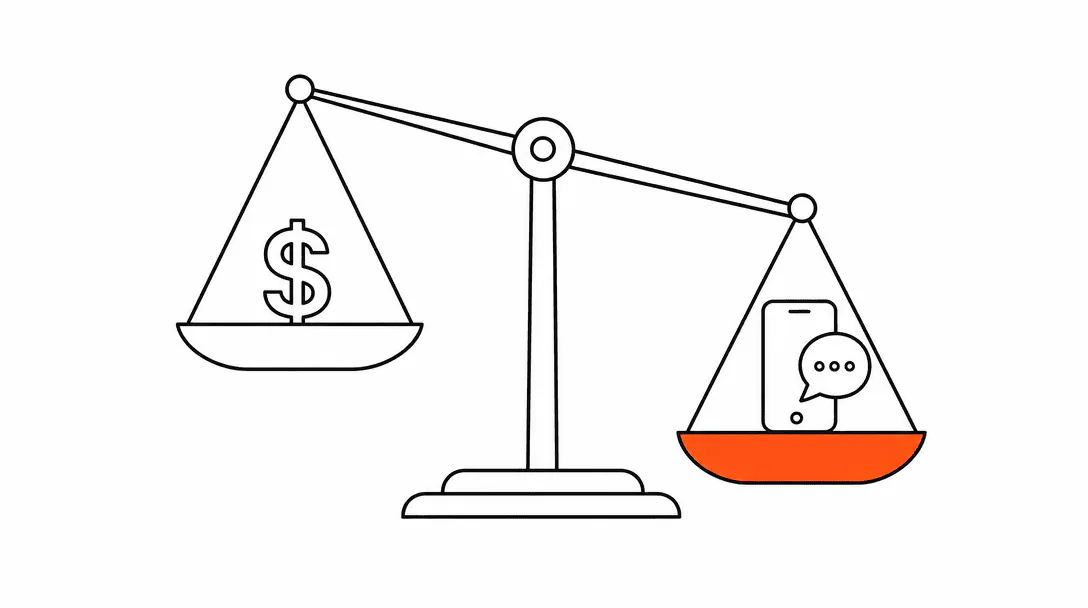
For most small service businesses, an AI receptionist system costs somewhere between $200 and $800 per month when you include the platform, voice minutes, and basic ongoing maintenance. The setup (building the knowledge base, wiring in your calendar, testing the hand-off flows) typically adds a one-time cost of $500 to $2,500 depending on how many channels and how complex the intake needs to be.
That range is wide on purpose. The price depends heavily on whether you need voice calls, how much call volume you handle, and what the system is actually supposed to do. A text-only web chat agent that answers FAQs and collects contact details is a different product from a full voice agent that qualifies callers, checks real-time availability, and books directly into your calendar. Both have their place. The cost difference between them is real.
What actually drives the price of an AI receptionist?
Three factors determine the monthly cost: the channels you run (text, voice, or both), the volume of interactions, and the complexity of what the agent is doing during each conversation.
Channel costs vary significantly. Text-based interactions, like web chat or SMS follow-up, run on AI model tokens. A typical web chat conversation costs fractions of a cent in model costs. Voice is different. When the AI is speaking and listening in real time, you are paying per minute to the voice provider on top of the underlying AI model cost. That per-minute cost can range from a few cents to over ten cents depending on the provider and voice quality, and it adds up fast on a business that takes dozens of inbound calls per day.
Volume matters more than most buyers expect. A fixed monthly platform fee looks predictable until you realize it does not include usage. A business that takes 20 calls per month pays very differently from one that takes 200. Always ask any provider: what is the per-minute or per-conversation overage, and at what volume does the pricing shift?
Complexity is the third variable. An agent that answers "what are your hours?" is cheap to run. One that asks qualifying questions, looks up your availability, handles objections, and fires a confirmation text afterward is doing more work on every conversation. More tokens consumed per exchange, more integrations to maintain, and more edge cases to account for when something goes sideways.
What is the difference between setup cost and the monthly fee?
Setup is a one-time investment to configure the system correctly; the monthly fee covers the ongoing infrastructure, model costs, and maintenance that keeps it running.
Setup work includes writing and loading the knowledge base (everything the agent needs to know about your services, pricing, policies, and how to handle common situations), building the conversation flows, connecting the system to your booking software or CRM, defining the hand-off triggers (when the agent stops and routes to a human), and running enough test conversations to catch problems before you point real leads at it.
Monthly costs typically break down as:
- Platform fee: the subscription to the software that runs the agent (voice platform, conversation orchestration, CRM integration layer)
- Model usage: the AI compute consumed by each conversation
- Voice minutes: if you are running a phone channel, the per-minute cost from the voice provider
- Maintenance labor: someone needs to review escalation logs, update the knowledge base when your pricing or services change, and adjust guardrails if the agent starts going off-script
That last item is the one most buyers underestimate. A system that is never reviewed after launch gradually drifts. The agent says something outdated, misses a new service you added, or starts handling edge cases in ways that made sense at launch but no longer fit. Budget one to two hours per month for this even at the low end.
Roughly one in four business calls goes unanswered, and fewer than 3% of callers routed to voicemail leave a message.
Should you start with web chat or voice?
Start with web chat if you want to test the concept with minimal cost; add voice when the text channel is proven and you have identified specific after-hours or overflow call patterns that are costing you booked jobs.
Web chat is cheaper to run, easier to test, and easier to update. You can see every conversation in a log, which makes it straightforward to spot where the agent is breaking down. Voice is more powerful for certain business types (home services, medical, legal intake) where callers expect to speak to someone, but the stakes for a bad conversation are higher: a caller who gets a confusing or unhelpful AI experience may not try again.
The businesses where we have seen voice perform best are those with a clear pattern of missed inbound calls during business hours (owner-operators answering the phone while on a job site) or a steady stream of after-hours inquiries that currently go to voicemail and never get returned. If you fit one of those profiles, voice is worth the additional cost. If most of your inbound comes through your website or social, start with chat and SMS.
For a full picture of how voice agents work and what to expect from the caller experience, read our breakdown of AI voice agents for inbound calls.
How do you know if it pays for itself?
The math almost always starts with one number: what is a booked job worth to your business?
Every conversation we have before talking about cost comes back to that question. What is one booked job worth, and how many inquiries per week are currently not being answered? Once you have those two numbers, the monthly cost of an AI receptionist either makes obvious sense or it does not. The monthly system cost usually disappears in the first recovered lead of the month.
A property management company we worked with was fielding 3 to 4 service inquiries daily after hours, each representing a potential $500 to $2,000 maintenance contract. Every inquiry that hit voicemail was, in practice, a lost lead because contractors and tenants move on fast. Once an after-hours text capture system was live, those inquiries started getting a response within seconds, and the team was walking in every morning to a prioritized list of conversations already started. That outcome had nothing to do with the hourly rate of a human receptionist. It was about the gap between what the business was capturing and what it could have been capturing.
Industry data supports the math. Research from InsideSales and MIT found that responding to an inbound lead within five minutes versus thirty minutes increases contact rates by roughly 100 times and qualification rates by 21 times. The average business takes 42 hours to respond to an inbound inquiry, and about 23% never respond at all (Harvard Business Review, 2011). An AI receptionist that responds in seconds to every inbound message addresses the single biggest lead-loss driver most service businesses have.
What does a properly built AI receptionist actually do?
A well-built system does five things: it answers common questions from a loaded knowledge base, it qualifies the inquiry by asking the right follow-up questions, it captures contact details and intent, it attempts to book directly if your calendar is connected, and it hands off to a human (with context) when the conversation goes beyond its scope.
The knowledge base is the most important piece. When we wire up a new system, the first thing we do is document everything the business needs the agent to know: service areas, pricing ranges (or a "call for a quote" redirect if pricing is complex), hours, how the booking process works, and what common objections or concerns come up. The agent is only as good as what it knows. A generic chatbot with no business-specific knowledge is not an AI receptionist; it is a FAQ widget with a natural language skin.
The qualification step is where the economics improve. An agent that just collects a name and phone number and fires a notification to the owner creates work. An agent that asks "what type of service are you looking for," "when are you hoping to get this done," and "are you the property owner" before routing gives the owner (or their team) a pre-sorted, qualified lead with enough context to return the call in two minutes instead of fifteen.
For businesses thinking about how this fits into a broader intake system, our post on how to book appointments without a receptionist walks through the full flow from first contact to confirmed booking.
What should you avoid when evaluating AI receptionist tools?
Avoid any tool that promises "set it and forget it." Every AI system in production requires periodic review. Business details change, new service questions emerge, and edge cases that were rare at launch eventually become common. A vendor that does not include any maintenance plan is selling you a configuration, not a system.
Watch out for pricing that looks low because it excludes model costs or voice minutes. Some platforms charge a flat monthly fee and then bill usage separately, which is fine as long as you understand the bill structure. Ask for an estimate of your likely monthly usage cost based on your actual call volume, not a theoretical low-volume scenario.
Be cautious about systems that have no defined hand-off. An agent that never routes to a human is either handling a very narrow use case or it is going to create frustrated callers when it hits something it cannot handle. Good systems have explicit triggers: if the caller mentions a specific word, asks for pricing above a threshold, or expresses frustration, the conversation routes to a human or fires a notification. That hand-off behavior should be one of the first things you see demonstrated before you buy.
Understanding the difference between a basic chatbot and a real agentic system matters here. Our overview of what an agentic system actually is explains what separates a scripted responder from an agent that can reason, qualify, and act.
What does it actually take to keep the system running?
The honest answer: less than most people think, but more than zero. Across the systems we have built and maintained, the ongoing work breaks into three buckets.
Knowledge base updates are the most common task. Any time you add a service, change your service area, adjust your pricing structure, or shift how you handle a common inquiry, that information needs to go into the agent's knowledge base. If it does not, the agent will either give outdated answers or fall back to a generic "I'll have someone reach out" response that defeats the purpose of having it.
Escalation log review tells you where the system is breaking. Most platforms log every conversation, and the escalations (conversations the agent could not resolve) are your most valuable feedback loop. Reviewing these once a month takes 30 to 45 minutes and almost always surfaces one or two things worth fixing.
Guardrail adjustments are less frequent but important. If the agent starts going off-topic, making claims outside its scope, or handling certain inquiry types in ways that do not match how your business actually operates, the guardrails need tightening. This is occasional work, not weekly, but it is real.
If you are building this yourself with a platform subscription, budget roughly 2 hours per month for maintenance. If someone is managing it for you, that labor is usually factored into the service cost.
How does the cost compare to a human receptionist?
A part-time human receptionist working 20 hours per week at minimum wage costs roughly $800 to $1,200 per month before payroll taxes, benefits, or time off. Businesses exploring this shift can see what a fully managed AI receptionist setup looks like for service businesses on the Treasure Coast and beyond. A full-time receptionist in most markets runs $2,500 to $4,000 per month fully loaded. The AI system costs a fraction of that and is available 24 hours a day, seven days a week, across every channel simultaneously.
The comparison is not about replacing people. Many businesses that implement an AI receptionist keep a human available for complex conversations; the agent handles the volume, and the human handles the exceptions. The economics work because the agent absorbs the routine load (hours, location, basic service questions, appointment scheduling) that was previously consuming most of a receptionist's time, freeing a human to focus on the conversations that actually require judgment.
For more context on what qualifies as a genuine AI receptionist versus simpler automation, see our guide to AI receptionists for small businesses, which covers the functional requirements for a real system.