
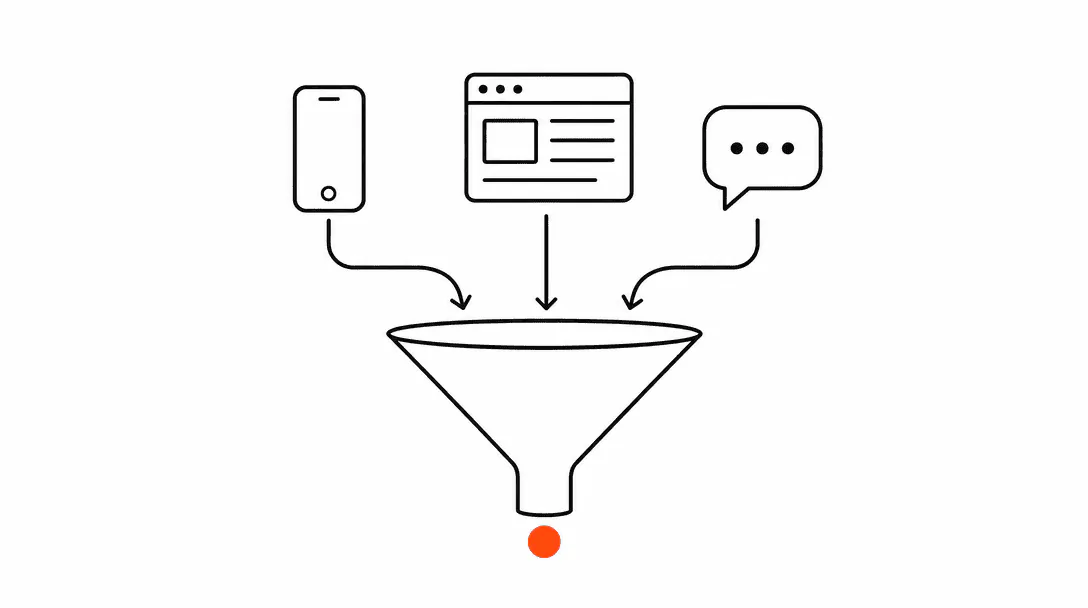
Lead capture automation is a system that receives every incoming inquiry, regardless of which channel it came from, and fires an acknowledgment message in under 60 seconds, tags the contact in your CRM, and routes them into the right pipeline. A person does not need to be at a desk for any part of this to work. That is the whole point. It is the foundation of the AI Automation systems Lyfework builds for service businesses across the Treasure Coast.
This post is the first pattern in the complete business automation guide for service companies. Everything downstream, including appointment reminders, follow-up sequences, and review requests, depends on capture being solid. If the first step leaks, the rest of the stack doesn't matter.
What exactly is lead capture automation?
Lead capture automation is a set of triggers connected to your CRM that fire the moment a new contact enters your system from any source. Each trigger handles a specific channel: web form submissions, incoming SMS messages, missed calls, Google Business Profile message clicks, social media DMs. The moment any of those events happen, the same downstream logic runs: tag the contact, add them to a pipeline, send an acknowledgment, and start a follow-up sequence.
The key word is any. Most businesses only automate their web form and assume the rest is covered. In practice, they have four or five active lead sources and one of them has an automation. The others route to an email inbox, a phone that nobody answers, or a DM thread that gets checked once a day. That is where why service businesses lose leads becomes a real problem: the lead exists, the intent is there, and the business simply has no system to catch it.
Why does response speed matter so much?
Response speed is the single biggest variable in whether you actually make contact with a new lead. Research from InsideSales and MIT found that calling a lead within five minutes makes you roughly 100 times more likely to reach them compared to waiting 30 minutes. That window collapses fast because the person who filled out your form is almost certainly filling out two or three competitors' forms at the same time.
The average time businesses take to respond to an inbound lead, according to a Harvard Business Review study. That same study found 23% of businesses never respond at all.
The gap between 42 hours and 60 seconds is not a marginal improvement. It changes whether a lead remembers you at all. Automation is the only reliable way to close that gap, because it doesn't depend on someone seeing an email notification or remembering to check a dashboard.
For more on the mechanics behind speed and what the data actually shows, the guide on how fast to respond to a lead covers the full breakdown.
Which lead sources does capture automation need to cover?
A complete capture system handles every channel that generates new inquiries for your business. For most service businesses, that means web contact forms, Google Business Profile message and call clicks, inbound SMS from your business number, Facebook and Instagram DMs, and any live chat widget on your site. Each of these is its own trigger, but they all feed the same CRM pipeline and downstream workflow.
The gap we find most often in the field: a business has a clean web form automation, but their Google Business Profile is sending messages to a Gmail inbox that the owner checks when they remember. Or their Facebook page has an active DM thread with 12 inquiries in it, none of which have been acknowledged. Those are not marketing failures. They are capture failures.
What does the automation actually do, step by step?
The flow is straightforward once you see it laid out. A lead submits your web form (or sends a DM, or triggers a missed call). The CRM receives that event and fires a trigger. Within seconds, an acknowledgment message goes out via the same channel the lead used: text if they texted, email if they emailed. At the same time, a contact record is created or updated in the CRM with the appropriate tags, a pipeline stage is assigned, and a follow-up sequence begins.
The acknowledgment message matters more than most business owners realize. It tells the lead that their inquiry landed, sets an expectation for when they will hear from you, and keeps your business top of mind while they are still in decision mode. A well-written acknowledgment doesn't feel like a robot. It feels like a fast, professional reply.
On the CRM side, the tagging and pipeline placement are what make everything downstream work correctly. Appointment reminders can only fire to the right people if those people are in the right pipeline stage. Automations are not magic; they are conditional logic, and the conditions only work if the data behind them is clean from the start. That clean pipeline feeds directly into a conversion-ready website and booking flow that turns captured leads into confirmed appointments.
What do we actually find when we audit an existing setup?
The first thing we check when auditing a client's CRM account is how long it takes the first message to fire after a form fill. We almost always find one of two situations: either there is no automation at all and form fills are going straight to an email inbox, or there is an automation that only covers one source while three others are completely unmonitored.
One scenario we ran into while onboarding a med spa that was running Facebook ads: they had a solid ad campaign driving inquiries to a lead form, but there was nothing behind the form. Every submission went to the front desk's email. The front desk was already managing calls, walk-ins, and booking questions throughout the day. By the time they got to the leads, it was sometimes two days later. Those weren't cold leads at that point. They were gone. Once we connected the form to an automation that sent an immediate text and created a contact in the pipeline, the same leads that had been going quiet started booking consultations before the front desk opened the next morning.
That outcome isn't about a secret tactic. It's what happens when you stop relying on a person's attention and start relying on a system.
Are missed calls part of the capture system?
Missed calls are one of the highest-intent lead sources a service business has, and they are almost universally handled badly. Roughly 26% of business calls go unanswered, and fewer than 3% of callers who reach a voicemail actually leave a message (Invoca, 2024). The lead called, got no answer, and moved on. Without an automated text-back, that person is gone.
Missed-call text-back is a specific pattern within lead capture automation: the moment a call goes unanswered, an automated text fires to the caller's number, acknowledges the missed call, and invites them to reply or book. It keeps the conversation alive without requiring a callback from your team.
The detailed guide on missed-call text-back covers how to write the message, when to send it, and how to handle the replies that come back.
How do multiple triggers work together without creating a mess?
The architecture that works is one trigger per source, all of them feeding the same downstream workflow. You don't build four separate automation sequences. You build one sequence and four entry points. The web form trigger fires and calls the sequence. The missed call trigger fires and calls the same sequence. The DM trigger does the same.
This matters for maintenance. If you need to update the acknowledgment message copy, you update it in one place and it propagates everywhere. If a trigger needs a small adjustment (the form source changes, a new channel gets added), you add an entry point without rebuilding the logic behind it.
The one place where you do need source-specific handling is the acknowledgment channel itself. A lead who texted expects a text back. A lead who submitted a form expects an email. The trigger knows the source, so it can branch the outgoing message to the right channel while running the same CRM logic behind the scenes.
What happens when a lead comes in at 11pm?
The automation fires exactly the same way. This is one of the most concrete advantages of a capture system: it does not have business hours. A lead submits a form at 11pm, they get an acknowledgment in under a minute, they get tagged in the CRM, and they enter the follow-up sequence. You can add a simple time-of-day branch that slightly adjusts the message wording for after-hours so it doesn't promise an immediate callback, but the core capture logic runs around the clock.
For businesses that want to go further than an automated text reply for after-hours inquiries, an AI agent can handle the initial conversation: answer questions, qualify the lead, and offer a booking link. That is a separate build on top of the capture foundation, covered in the post on building out a full automation stack for service companies.
What are the most common mistakes businesses make with lead capture?
The most common one, by far, is building automation for only one channel. A business automates the web form submission, feels like the job is done, and leaves Google Business Profile messages, Facebook DMs, and missed calls completely uncovered. Every uncovered channel is a lead source that functions exactly as if the automation never existed.
The second mistake is building the automation but not building the CRM structure behind it. An automation that fires a text is better than nothing, but if it doesn't tag the contact and assign a pipeline stage, there is no system for what happens next. The lead gets an acknowledgment and then falls into a generic inbox with no follow-up logic attached.
Third: duplicate contact creation. When a lead submits a form and also sends a DM, many systems create two separate contact records. If the automation isn't set up to check for existing contacts and merge them, the CRM fills up with duplicates and the follow-up sequences can fire multiple times to the same person. This is a configuration issue, not an inherent problem with automation, but it needs to be handled from the start.
Getting these details right from the beginning is exactly why the systems behind why service businesses lose leads matter so much. The leads are there. The gap is almost always in the infrastructure that should be catching them.