
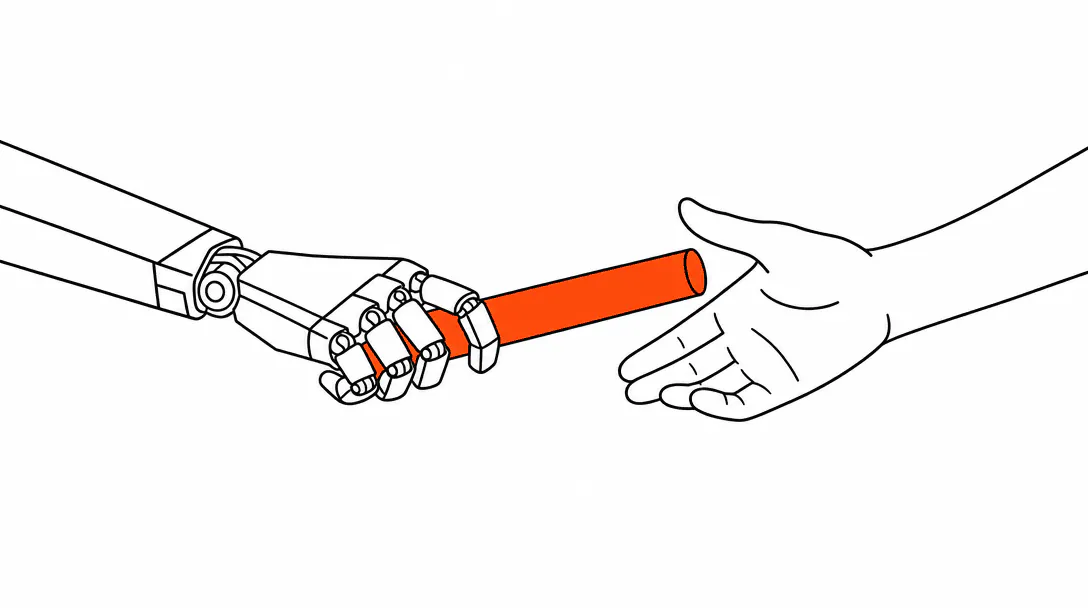
An AI agent should hand off to a human the moment it hits a situation that requires judgment it was never designed to carry: an angry customer, a question outside its scope, a request to speak to a person, or anything where getting it wrong costs you the relationship. That boundary is the most important design decision in any agent build. Get it right and the agent protects you. Get it wrong in either direction and you either have a system that escalates everything (pointless) or one that keeps talking long past the moment it should have stopped (dangerous).
This post maps the five trigger categories that belong in every escalation rule set, shows what a real hand-off looks like in practice, and covers how to tune the rules once the agent is live. It is part of our broader series on what an agentic system actually is and how to build one that a real service business can trust.
Why do escalation rules matter more than the agent's knowledge?
Escalation rules are the safety layer that makes everything else safe to deploy. You can give an agent an excellent knowledge base, a polished voice, and accurate answers to 95% of your incoming questions. But without clear escalation rules, that last 5% can do serious damage. A customer who reaches out in a genuine emergency and gets a chatbot trying to walk them through self-service is not going to stay a customer.
The clearest example we have seen of this comes from an HVAC company we worked with. Their chat agent was well-built: it could book maintenance appointments, answer pricing questions, and handle routine service inquiries without any trouble. But when a customer reached out in the middle of winter saying they had no heat, the agent kept trying to troubleshoot the problem. It was doing exactly what it was designed to do. Every minute it held that conversation was a minute the owner did not know someone had no heat in their home. The customer eventually left without booking. There was no flag, no alert, no hand-off. The agent did not know what it did not know.
That story is not unusual. The fix is not a smarter agent. It is a rule written before the agent ever goes live: if the customer describes an emergency, escalate immediately. Plain English first. Agent instructions second.
What are the five categories of hand-off triggers?
Every service business needs to work through five categories when writing escalation rules. They cover the situations where continuing the automated conversation creates more risk than stopping it.
1. Emotional signals
Frustration expressed once can be handled by a good agent. Expressed twice, it needs a human. This is the rule we write first on almost every build: if the customer signals frustration, anger, or distress more than once in the same conversation, send an alert to the owner's phone. The threshold matters. Setting it at "any negative word" produces noise and trains owners to ignore the alerts. Setting it at two signals catches the people who are genuinely upset before they leave.
Watch for: "you're not helping me," "I've already told you," "this is ridiculous," direct profanity aimed at the experience, and requests to "just talk to a real person." Any of those should fire the trigger on their own.
2. Out-of-scope topics
Every agent has a defined scope. The moment a customer asks something outside it, the agent has two options: say it does not know and offer to connect them with someone who does, or keep talking and make something up. Only one of those options is acceptable. When we build AI guardrails for a business agent, we define the out-of-scope list explicitly: legal questions, medical advice, specific pricing that has not been pre-approved for automation, anything involving a third-party complaint. These go to a human, every time.
3. Explicit request to speak to a person
This one has no threshold. If a customer asks to speak to a human, the agent stops and connects them. Period. There is no scenario where continuing the automated conversation after this request produces a good outcome. The agent's job at that point is to acknowledge the request, set a clear expectation ("I'm looping in our team now, you'll hear back within the hour"), capture the customer's contact information if it does not already have it, and alert the right person.
4. High-value or high-stakes transactions
Set a dollar threshold above which the agent does not close the sale on its own. For a plumber, that might be anything over a repair estimate that exceeds a few hundred dollars. For a med spa, it might be any service package above a certain price point. The agent can gather information, answer questions, and warm the lead. The close goes to a human. This is not a limitation of the agent. It is a deliberate design choice that protects your average ticket size and keeps the human relationship in the loop where it matters most.
5. Sensitive content categories
Some topics require a licensed professional or carry legal risk if handled incorrectly. Medical questions (symptoms, dosages, contraindications) go to a human at a med spa or health-adjacent business. Legal questions go to an attorney at a law firm. Any question about a regulatory issue, a complaint about a specific staff member, or anything involving minors should fire an immediate escalation. Write these into the agent brief as absolute stops, not as suggestions.
of business calls go unanswered, and fewer than 3% of voicemail-routed callers leave a message.
What does the actual hand-off look like in practice?
The mechanics of a hand-off depend on the channel: voice, chat, or SMS. But the principle is the same across all three. The human who takes over should never have to ask the customer to repeat themselves. That is the bar. If the hand-off fails that test, the design is wrong.
What the human receives
When we wire up an escalation path in a live system, the notification to the owner or team member includes four things: the full conversation transcript, the customer's name and contact information, the reason the escalation fired (frustration threshold, explicit request, out-of-scope question, etc.), and a one-sentence plain-English summary of what the customer is trying to accomplish. That last piece matters more than most people expect. A transcript can be long. A person picking up the phone in the middle of their workday needs to be able to glance at a summary and know what they are walking into.
Voice: warm transfer vs. cold alert
On a voice channel, the best hand-off is a warm transfer: the agent stays on the line, introduces the situation briefly, and then bridges the call to a human. That is not always possible, especially for a one-person operation. The fallback is a cold alert: the agent tells the caller that it is connecting them with someone from the team, takes their number if it does not already have it, and sends an immediate text alert to the owner with the reason for escalation. This is the pattern we use in our AI voice agent builds for inbound calls: the agent handles the intake, the human handles the close or the crisis.
Chat and SMS: stepping into the thread
On chat or SMS, the agent pauses the conversation and alerts the team member. The human can then step directly into the same thread, which means the customer sees a continuous conversation. They do not get bounced to a new channel or told to call a different number. If no one picks up the thread within a defined window (we typically set this at 10 minutes during business hours), the agent sends a follow-up message to the customer: "I've flagged this for our team. You'll hear from us within the hour." The agent does not keep trying to resolve the issue on its own. It holds the customer's place in the queue.
How do after-hours escalations work?
After-hours is the scenario where the hand-off rules need the most thought, because there is no one on the other end to pick up immediately. The agent's job shifts from "connect the customer to a human right now" to "capture everything the customer needs and make sure a human sees it first thing."
For genuine emergencies (no heat, burst pipe, a situation where delay causes harm), the rule should be: alert the owner's personal phone immediately, regardless of time. We set these up as a separate escalation tier in the systems we build. The agent identifies the emergency keyword cluster, sends an immediate SMS to the owner's mobile, and tells the customer: "I've sent an urgent message to our on-call team. You should hear back within 15 minutes." That sets a real expectation and creates accountability.
For non-emergency after-hours inquiries, the pattern is simpler. The agent captures the customer's details and the nature of the request, confirms what time they can expect a call back, and queues a task in the CRM for whoever opens up in the morning. The first item on the owner's morning screen is the list of after-hours conversations that need a follow-up. This is one of the core patterns in how we build AI customer support agents for service businesses: the agent owns the overnight shift, the human owns the morning follow-through.
How do you tune escalation rules after the agent goes live?
Your escalation rules on day one are a starting point, not a final answer. The first month after an agent goes live is when you learn the most about where the rules are off.
Review the escalation log weekly. Look for two patterns. First: are there conversations that escalated and should not have? These point to topics you can add to the agent's knowledge base so it handles them confidently next time. Second: are there conversations where the customer got frustrated and there was no escalation? These point to a trigger threshold that is set too high, or a signal category you missed entirely.
One practical note from the systems we have built: do not remove trigger categories based on early log data. If the same question keeps firing an escalation, the answer is almost always to add that topic to the agent's knowledge base, not to widen the escalation threshold. The triggers exist for a reason. Widen them too fast and you end up back in the HVAC scenario: an agent that keeps talking long past the point it should have stopped.
The agents that work best after six months are the ones where the owner and the build team ran a regular review cadence in the first eight weeks. Not because the agent got smarter on its own, but because the humans behind it got smarter about where the edge cases lived.
Should escalation rules differ by channel?
The trigger categories stay consistent across chat, SMS, and voice. Frustration, out-of-scope topics, explicit human requests, high-value transactions, and sensitive content should all fire an escalation regardless of where the conversation is happening. What changes is the mechanics of how the hand-off actually executes.
On voice, you have the option of a real-time transfer. On chat, you step into a thread. On SMS, the agent pauses and a human takes over the same number the customer has been texting. Each channel needs its own hand-off path mapped out before the agent goes live. If you are running one agent across all three channels (which is how we build most of the systems we deploy), the escalation logic lives in a single rule set, but the notification and transfer logic branches by channel. That architecture is covered in more detail in our post on AI receptionist systems for small businesses.
The key practical point: test every hand-off path before you launch. Send a test conversation through each channel, hit each escalation trigger deliberately, and confirm that the notification lands and the human can pick up the thread cleanly. This is the check that most people skip, and it is exactly the one that matters when a real customer hits the edge case on a busy Tuesday morning.
Escalation rules are designed into every agent we build. If you want to see how this works in practice, our AI receptionist and automation service includes the full trust architecture, from scope definition to hand-off paths, not just the agent itself. You can also explore the broader picture of how agentic AI fits into a service business on our agentic systems page.