
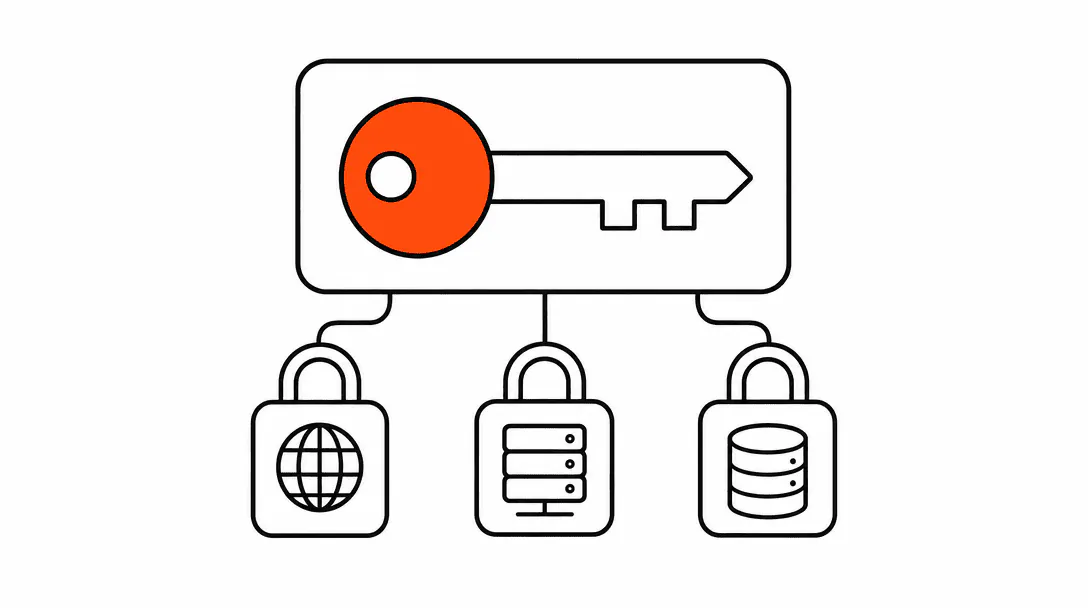
Your business website is made up of four separate assets: the domain name, the hosting account, the code (site files), and the customer data stored in connected systems. You can be paying for all four every month and still not own a single one of them. This is not a rare edge case. It is the default arrangement at many web agencies, and most business owners never find out until they try to leave.
This post breaks down each asset, tells you exactly how to check who controls it today, and explains what your contract should say. If you have a few minutes and a browser, you can get answers before you finish reading.
What does it mean to "own" your website?
Owning your website means you hold the registrant rights to your domain, you control the hosting account the files live on, you have unrestricted access to the source code, and you have direct login credentials to every platform that stores your customer data. Each of those is a separate thing, and each one can be held by someone else without affecting the others.
Think of it like a brick-and-mortar lease. You might own the furniture (your content), but if the landlord holds the lease (your domain registration) and controls the building access (your hosting account), you can be locked out regardless of how long you have been paying rent. The four assets below work the same way.
This topic sits at the foundation of how we think about building websites for service businesses. The website foundation guide covers the full set of decisions that go into a site that actually belongs to you, from structure to hosting to performance. This post focuses specifically on the ownership and access questions.
Who owns your domain name?
The legal owner of a domain is whoever is listed as the registrant in ICANN's public WHOIS database. To check yours, go to lookup.icann.org, enter your domain, and look at the registrant name and organization fields. If that is your agency's name, a person you don't recognize, or an email address you don't control, you do not own your domain.
Domain ownership matters more than most people realize. The registrant has the right to transfer the domain, point it to a new server, let it expire, or sell it. If that person is your agency and you stop working together on bad terms, reclaiming the domain can get complicated fast.
We have taken over four sites this year where the previous agency held the domain in their own GoDaddy account. In two of those cases the client had been paying a monthly hosting fee for years without knowing they had no transfer rights at all. The fix was sometimes as simple as requesting a transfer and providing the auth code. One situation required legal escalation because the agency refused to release the domain and the original contract had no ownership language either way.
What to look for: your name or your business name in the registrant field, and an email address you control in the registrant contact. If your agency bought the domain on your behalf using their account, get it transferred to your own registrar account (GoDaddy, Namecheap, Cloudflare Registrar, or similar) before any friction enters the relationship.
Who controls your hosting account?
Hosting control means having login credentials to the account where your site files actually live: a cPanel account, a Cloudflare account, a Vercel project, a WP Engine environment, or whatever your host uses. If the only person who can log in is your agency, they can take your site offline the moment the relationship ends.
This is a different problem from domain ownership, and it causes different pain. If the domain points at a server your agency controls, they can replace your site with a blank page or a redirect without touching the domain registration at all. You would keep the domain but lose the live site.
How to check: ask your current agency or developer for the hosting provider name and log in directly. If they cannot or will not give you login credentials to the hosting account, that is information you need to have before you need it. You are not asking to fire them; you are asking to understand what you are paying for.
The hosting arrangement also affects how your site is maintained and how fast it loads. A site sitting on shared hosting your agency manages is a different product than a site on a platform you own. The managed hosting explainer covers what the different models actually mean in practice.
Who owns your website code?
The source code of your site is intellectual property. In most standard work-for-hire arrangements, the client owns the deliverable once it is paid for. But "most" is not "all," and many agency contracts say something different. Some state that the agency retains the code and licenses it to you. Others say nothing about it, which leaves ownership genuinely ambiguous.
The practical question is simpler: can you get a copy of the files and take them somewhere else? If your site is built on a proprietary page builder that only runs inside that agency's platform, the answer is no, even if you technically own the code on paper. If it is a standard WordPress install or a static HTML site, a competent developer can pick it up and continue from where the last one left off.
This is one of the real tradeoffs in choosing how your site gets built. The comparison between custom-built sites and website builders gets into the portability question directly, including what you give up when the platform controls the infrastructure.
For most service businesses, the practical test is: if you took your domain and pointed it at a new server tomorrow, could a new developer rebuild or continue your site from a code export? If the answer is no, your site is not truly portable, regardless of what the contract says.
Who owns your customer data?
Your customer data includes form submissions, contact records, appointment history, purchase history, and any notes or tags stored about each contact in a CRM or booking system. Legally, this data belongs to your business because you are the party your customers consented to share it with when they filled out a form or booked an appointment.
Practically, the data only belongs to you if you can access it. If your agency set up a CRM account under their agency license without giving you a direct login, your customer list lives in a system you do not control. The same problem appears with email marketing platforms, booking tools, and review management systems. When you lose access to those accounts, you lose the data inside them.
A law firm we worked with discovered this the hard way during a rebrand. Their old web vendor not only held the domain registered under the firm's original name, they also held the only admin login to the content management system. The vendor quoted a four-figure fee to release access, a fee that appeared nowhere in the original contract. The data was recoverable, but it cost time, legal fees, and a strained transition that could have been avoided entirely with a simple ownership clause in the original agreement.
Domain, hosting account, site code, and customer data: four separate things you can lose access to independently.
What to look for: confirm that every platform connected to your business (CRM, booking system, email platform, analytics account, Google Business Profile) has at least one login in your direct control, using an email address that is yours personally, not an address provided by the agency.
What should your contract say about ownership?
A contract that protects you on digital asset ownership covers three things clearly. First, it names who owns the domain at project start and at project end. Second, it specifies that the client receives all source code upon final payment and that the agency retains no license rights that would prevent the client from hiring another developer. Third, it guarantees a data export or account transfer within a defined window if the relationship ends.
If your current contract does not address these points, you are not necessarily in trouble. Most agencies are reasonable and will transfer assets when asked. The problem is that a conversation about transfer rights is much easier to have before a disagreement than after one. A brief, friendly email asking "can you confirm we own the domain and have access to the hosting account?" tells you a lot about how the relationship would go if things ever got difficult.
Some agencies have built their business model around retaining asset control as a lock-in mechanism. Monthly fees that include hosting, a custom platform you cannot leave, no code export, no data portability: these are structural choices, not accidents. Understanding that structure before you sign is the only way to make an informed decision about it.
How to do a five-minute ownership audit right now
Open a browser tab and work through this list. You do not need technical knowledge to do any of these checks.
Step 1: Check your domain registrant. Go to lookup.icann.org and enter your domain. Read the registrant name and organization. It should be your name or your business name. If it is not, write down whose name it is.
Step 2: Find your hosting provider. Ask your agency or developer which hosting company your site is on and whether you have a direct login. If you don't know the answer to either question, that is your answer: you don't have verified access.
Step 3: Check your Google Business Profile. Log in to business.google.com with your business email. If you cannot log in, or if you see the listing but are listed as a manager rather than the owner, note that. Primary ownership of the profile matters for visibility management.
Step 4: Export your contact data. Log in to your CRM or booking system and confirm you can export your full contact list. If you cannot log in, or if you can log in but cannot export, flag it for resolution.
Step 5: Check your analytics account. Go to analytics.google.com (or whatever analytics platform you use) and confirm your account is there and you are listed as the admin, not just a viewer.
Five checks. Five minutes. Most business owners who go through this list find at least one gap they did not know existed. The gaps are almost always fixable; the only bad outcome is not knowing about them.
What full ownership looks like in practice
A clean ownership setup means: the domain is registered in an account you own and control directly, your site files live on a hosting account under your name or your business email, you have a copy of the source code or a clear contractual right to receive one, and every platform storing your customer data has your direct login credentials at the admin level.
Across every site we build, this is the baseline. The domain goes into the client's registrar account before the build starts. The hosting account is set up under the client's email. The code is handed over on completion and, where the site is hosted on our infrastructure for performance reasons, the client has their own account they can take with them. Customer data in connected systems lives in accounts the client controls.
This setup takes about fifteen minutes longer to configure than the alternative. The alternative is the situation described earlier in this post: a business that has been paying for its own digital presence for years and still does not own it.
If you are starting fresh or migrating away from an agency that holds your assets, our web design service delivers a site where you own the domain, the code, and the hosting from day one. If you also want to show up in local search and AI results with that site, see what our visibility service adds on top.