
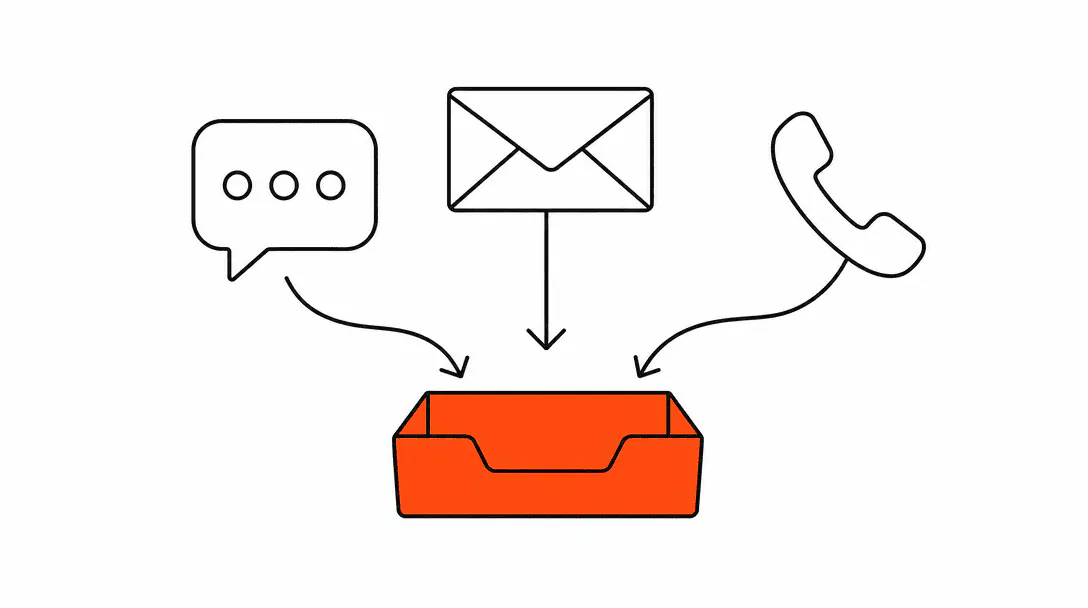
A unified inbox pulls every inbound message (SMS, email, Instagram DM, Facebook Messenger, Google Business Profile messages, and web chat) into a single conversations feed inside your CRM. Your team opens one app, sees every thread, and responds without switching tabs. That is the whole idea, and it is simpler to set up than most owners expect.
This post covers how the channel connections work, how to set routing rules so the right person sees the right message, and how the inbox ties into the broader lead capture automation that keeps inquiries from getting lost between channels and your pipeline.
Why does managing channels in separate apps cause you to miss leads?
Missed leads from separate apps are almost never a priority problem; they are a visibility problem. If a message sits in Instagram DMs while your team is logged into a different device checking text messages, there is no alert, no thread, no context. The lead assumes you are not interested and moves on.
On almost every account audit we run, we find at least one channel that is functionally invisible to the business. When we first open a client's CRM to audit the channel connections, Facebook DMs and Google Business Profile messages are usually sitting disconnected. Leads are coming in that nobody is responding to, not because the team is ignoring them, but because they do not know the messages are there. The conversations never surface in the tool the team actually uses each day.
The math on response time makes this costly. Research from InsideSales and MIT found that responding to a new lead within five minutes is roughly 100 times more effective at making contact than waiting 30 minutes. Most service businesses are not waiting 30 minutes on those disconnected channels: they are waiting until someone happens to log into that app, which might be days later.
The average inbound lead response time across businesses surveyed, and 23% never respond at all.
A unified inbox does not make your team faster by itself. It makes every message visible so the team can actually respond at all.
Which channels connect to a unified inbox?
SMS, email, Instagram DMs, Facebook Messenger, Google Business Profile messages, and website chat widgets can all route into the same conversations view. Each channel connects through an integration in your CRM, and once connected, every incoming message from that channel appears in the unified feed alongside threads from every other source.
The practical result: a client who texts you on Monday, then DMs you on Instagram on Tuesday because they did not hear back, shows up as two messages in the same thread under their contact record. You see the full conversation history regardless of which channel they used. That context is what lets you reply intelligently instead of treating each message like it came from a stranger.
Web chat widgets are worth calling out specifically. Many businesses install a chat widget on their website and then forget it routes to a separate inbox managed by the chat platform. Connecting that widget to the unified conversations feed means a chat lead is treated the same as a text lead: it enters your pipeline, gets tagged by source, and triggers the same lead capture sequence that fires for every other channel.
How do routing rules work inside the unified inbox?
Routing rules decide which team member or inbox folder receives a message based on its source, content, or the contact's existing status in your CRM. You set them once, and the system applies them automatically to every incoming thread.
A straightforward example: all Instagram DMs route to the person managing your social channels, all SMS threads route to the front desk, and any message from a contact already tagged as an active client routes to their assigned team member. Nothing lands in a general pool where it might sit unseen; every message goes somewhere specific.
The routing logic pairs well with a consistent tag and naming schema across your CRM. When contacts are tagged correctly (lead source, service type, current pipeline stage), the routing rules can be much more precise. A contact tagged as a new inquiry from Instagram gets routed differently than a contact tagged as a returning client who booked last month.
Response time SLA alerts are the other piece of routing most businesses overlook. You can configure the system to flag any conversation that has been open for more than a set number of hours without a reply. That alert routes to a manager or owner so nothing quietly ages out without anyone noticing.
What is auto-tagging by channel and why does it matter?
Auto-tagging assigns a tag to every new contact or conversation based on which channel the first message came from. A contact who texts you gets tagged "source: SMS." One who DMs you on Instagram gets tagged "source: Instagram DM." That tag travels with the contact record permanently.
This matters for two reasons. First, it gives you clean reporting. At the end of a month you can see exactly which channels are generating inquiries and which are sitting quiet. That informs where you invest time connecting and managing channels going forward.
Second, it keeps your follow-up automations channel-aware. If someone first contacted you via Instagram DM and you want to follow up a week later, the automation can route that follow-up back through Instagram rather than defaulting to SMS (where the person may never have given you a number). The tag is the thread that keeps channel preferences connected to the contact over time.
This is the part of the unified inbox setup that most how-to guides skip entirely. The inbox is visible to the team, which is the urgent fix. But the tagging layer is what makes the inbox useful to the business over months, not just weeks.
How does the unified inbox connect to lead capture automation?
The unified inbox is the receiving end of your lead capture system. Lead capture automation, the workflows that fire when a new inquiry arrives, only works reliably when the CRM actually knows a lead has arrived. If Facebook DMs are disconnected, the automation never fires for those leads. They land in a separate app with no trigger, no tag, no follow-up sequence, and no pipeline entry.
When every channel is connected to the conversations inbox, every new message becomes a CRM event. That event can trigger a sequence: a contact record is created (or matched to an existing one), the conversation is tagged by source, the lead enters a pipeline stage, and an immediate reply goes out confirming you received their message. The whole sequence runs in the background while the team handles other work.
The connection between inbox and automation is also what makes business automation practical for small teams. One person can manage a higher volume of inquiries because the system handles the first touchpoint automatically. The human reviews the conversation, adds context, and steps in when the lead is ready to discuss specifics.
What does this look like for a real service business?
Consider a salon suite owner managing booking inquiries across Instagram DM, a separate SMS line for existing clients, and a website chat widget, each tied to a different device or app. Leads were being missed daily. The owner had interest; they simply lacked consolidation. A client who DM'd on a Wednesday might not get a reply until the owner happened to open Instagram on Friday, by which point the lead had booked somewhere else.
Once the three channels were connected to a single conversations inbox with auto-tagging and routing rules in place, the full picture became clear immediately. Several unread Instagram DMs from the previous two weeks surfaced as open threads. Routing rules sent new Instagram messages directly to the owner's notification queue. An immediate automated reply went to every new inquiry confirming receipt and sharing a booking link.
The volume of inquiries did not change. What changed was how many of them turned into actual conversations.
Getting the SMS compliance setup right is also part of this work. Outbound automated texts require proper opt-in documentation under TCPA rules. That is a separate configuration step, but it is built into the same system setup so it does not become an afterthought.
What should you set up first when building a unified inbox?
Connect the channels before you build any automations. Automations built on top of disconnected channels will have gaps from day one. The sequence that works in practice:
- Audit what exists. List every place a client can message you: SMS number, email address, Instagram, Facebook page, Google Business Profile, website chat. Check which ones are already connected to your CRM's conversations view and which are orphaned.
- Connect the orphaned channels. Each integration has its own authorization flow. Facebook and Instagram require page admin access. Google Business Profile requires connecting via the GMB integration in your CRM. Web chat requires installing a snippet on your site.
- Set auto-tagging rules by channel. Before anything else routes, confirm that every incoming conversation gets tagged with its source. This is the foundation every routing rule and report sits on.
- Configure routing rules. Assign channels (or contact types) to specific team members or queues. Add SLA alerts for conversations that go unresponded past your target window.
- Wire in the lead capture automation. Once every channel is connected and tagged, the automation triggers can be set to fire on new conversations across all sources simultaneously.
The whole setup is mechanical once you know the order. The part that takes time is tracking down admin access to each platform, particularly for Google Business Profile and Facebook pages that were set up years ago by someone who may no longer be with the business.
What are the most common mistakes businesses make with a unified inbox?
The most common mistake is assuming the inbox is set up just because the CRM has a conversations tab. The tab exists in almost every modern CRM. The channels actually being connected to it is a separate configuration step that many businesses never complete.
A close second: connecting the channels but skipping the tagging and routing setup. The inbox becomes one pile instead of an organized feed. Team members still have to manually sort through everything to find what belongs to them, and the reporting is useless because every lead looks the same regardless of source.
Third: building automations before the inbox is clean. An immediate reply automation that fires on new SMS conversations but not on new Instagram DMs is worse than no automation, because it creates the impression that some channels get faster service than others. The foundation has to be complete first.
Setting up a unified inbox is part of the broader systems work covered in the business automation guide for service companies. It is one of the first things we configure on any new build because so much of what comes after depends on the CRM actually knowing where every conversation is happening.
A unified inbox is a core piece of the communications layer we build for service businesses through our AI Automation services. Once every message is visible and routed, the next step is making sure your website converts the leads those channels generate. See how we approach that on Booking Systems.