
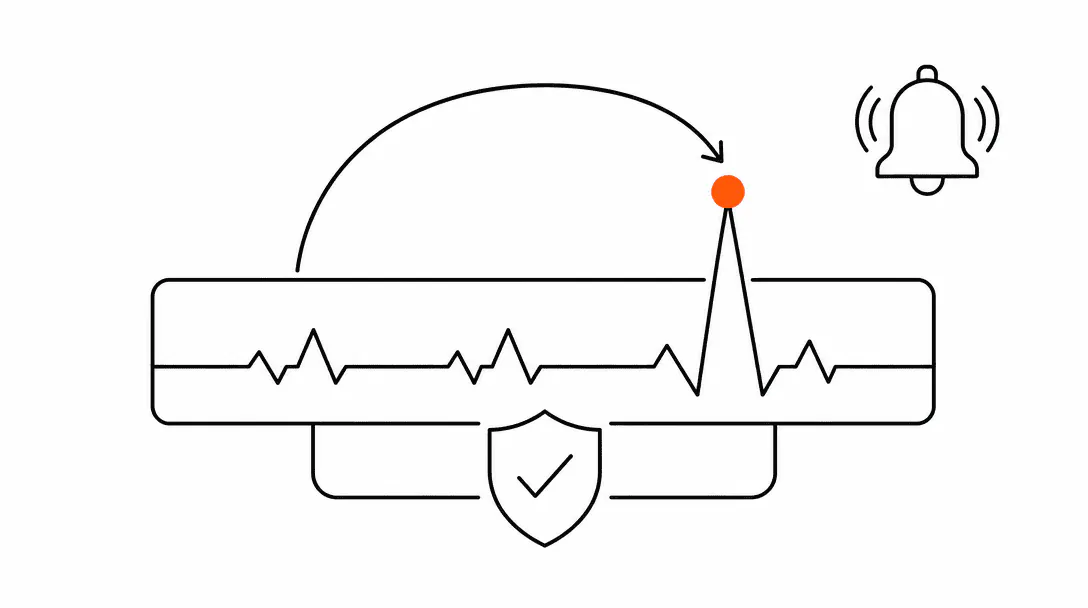
Error monitoring is a system that watches your website in real time and sends you an alert the moment something breaks. Most web content treats it as something only large tech companies need. For any service business running a booking form or a contact page, that framing is wrong. Your website has one job: turn visitors into inquiries. If the form that captures those inquiries silently stops working, you have no website. You have a brochure that costs you money.
This post is part of the website foundation guide for service businesses. It covers what error monitoring actually is, what it catches, and why "a customer will let us know" is not a reliable detection system.
What kinds of things break on a website without any warning?
The most damaging failures are the quiet ones: a form that stops submitting, a booking calendar that throws a JavaScript error, or a payment widget that loads blank. None of these take your site offline. Everything looks fine to the eye. The page loads, the form is visible, and the button clicks. The data just never arrives.
Here is where most of these failures come from:
- JavaScript errors. A script on your page runs into a problem and stops. The form or interactive element it powers stops working with it. This is particularly common on mobile browsers, where Safari in particular handles JavaScript differently than Chrome. An element that works perfectly on a desktop can be completely broken on an iPhone.
- Failed form submissions. The form submits on the user's end (the button spins, then goes quiet) but the data never reaches the other side. This can happen when the backend service handling submissions has a problem, when an API key expires, or when a third-party integration times out.
- Third-party script failures. Your booking calendar, chat widget, or review badge all pull in code from outside your website. When any of those external services have an outage or push a bad update, the affected element on your page stops working without any change on your end.
- Uptime failures. Your site goes offline entirely. The server is down, the DNS has a problem, or the hosting provider has an outage. Anyone who visits during that window sees an error page.
Every one of these can run silently for hours or days. Your analytics will still record visits. You just will not see any form submissions during that stretch, which is easy to explain away as a slow week.
Why waiting for a customer complaint is too late
Most people who hit a broken form do not call the office to report it. They leave. According to the research on inbound lead behavior, the majority of callers who reach voicemail simply hang up and try the next option, with fewer than 3% of voicemail-routed callers leaving a message (Invoca, 2024). Visitors who hit a broken web form behave the same way. They move on.
Of callers routed to voicemail leave a message. Web form visitors who hit a broken form behave similarly: most leave without telling you anything is wrong.
The people who do report a broken form are usually the most persistent: someone who has already decided they want to work with you and is trying multiple channels. That is a small fraction of total visitors. The rest left before you had a chance to respond, and you never knew they were there.
This is why the detection model of "a customer will tell us" fails. It only surfaces problems to the rare visitor who both notices something is wrong AND takes the extra step of finding another way to contact you. Everyone else goes dark.
What does error monitoring actually do in practice?
Error monitoring works by placing a small piece of code on your website that watches for problems and reports them to a dashboard and, more importantly, to your phone or inbox. When something goes wrong, you get an alert within minutes. Not days, not when a customer complains. Minutes.
When we wire up error monitoring on a client site, the first thing we configure is form-level tracking. Every submission attempt gets logged, including the ones that fail. If a form is visited ten times and submits zero, the system flags it immediately. That single layer catches the most common failure mode we see across the sites we build and maintain.
A real example from our work: we caught a broken contact form on a client site within four minutes of deployment using error alerts. A configuration mistake caused the submission handler to fail silently on every attempt. The form looked completely normal from the visitor's perspective. The page loaded, the fields worked, the button clicked. Without monitoring, that form would have failed for every visitor until someone eventually called the office to ask why they had not heard back. In those four minutes before the alert fired, the page had already received 14 visits. Fourteen potential inquiries that would have gone dark with zero indication that anything was wrong.
Beyond form tracking, error monitoring also covers:
- JavaScript error logging. Every unhandled error on your page gets captured with the exact line of code that caused it, what browser the visitor was using, and what they were trying to do. This makes diagnosing and fixing the problem fast.
- Uptime checks. A monitoring service pings your site from multiple locations every few minutes. The moment your site goes offline, you get notified. Most uptime monitors check every 1 to 5 minutes, which means you find out about an outage almost immediately rather than when traffic stops arriving.
- Performance degradation. Some tools also watch for pages that slow down significantly over time, which can affect both user experience and how search engines rank your site.
What does a silent failure actually cost a service business?
The cost depends entirely on what was broken and for how long. For a business where a single consultation or estimate is worth several hundred dollars, even a few hours of a broken contact form can mean a meaningful revenue loss. For a business running paid advertising to that page, the cost is immediate and concrete: you paid for every click that hit a broken form and got nothing in return.
A practice we work with runs paid social campaigns that drive traffic directly to a consultation request form. A JavaScript error caused the form to fail silently on mobile Safari for an entire weekend. The campaign ran its full budget. Zero leads were captured. No one on the team realized anything was wrong until Monday morning when the leads report showed nothing had come in. By that point, every person who had tried to book over the weekend had already moved on.
This is not a rare edge case. It is the standard outcome when a paid campaign sends traffic to a site with no monitoring in place. The ad platform collects its fee either way. The broken form is not its problem.
The relationship between your hosting infrastructure and your monitoring setup matters here too. Managed hosting includes uptime monitoring as part of the service, which is one concrete reason it costs more than shared hosting. You are paying for someone to watch the infrastructure so you do not have to. But uptime monitoring only tells you the server is up. It does not tell you whether the form on the page is actually working.
How do you actually set up error monitoring for a small business site?
There are two distinct layers, and most small businesses need both.
Layer 1: Uptime monitoring. This checks whether your site is reachable. Tools like UptimeRobot offer free plans that check your site every 5 minutes from multiple locations and email you if it goes down. Paid plans check more frequently and cover more URLs. This takes about 10 minutes to set up and should be on every site.
Layer 2: JavaScript and form error tracking. This is where tools like Sentry come in. Sentry captures JavaScript errors in real time, logs the browser, the user's actions, and the exact error. You set up alerts so that when a new error type appears, you get a notification immediately. Free tiers exist, though paid plans (starting around $26 per month) add features like form submission tracking and alert routing that matter for a business context.
The setup for a static site or a simple WordPress site is straightforward: add a script tag to your site's header, configure your alert preferences, and you are covered. For sites built on a JavaScript framework or with a custom backend, the integration is slightly more involved but still a one-time task.
The part that trips up most businesses is the alert configuration. Out of the box, many error monitoring tools will send you a notification for every single JavaScript warning on your page, including minor warnings from third-party scripts that have no impact on functionality. The first thing to do after setup is tune the alerts so you hear about errors that matter (form failures, payment widget crashes, full page errors) without the noise of irrelevant warnings drowning them out.
Pair this with a well-built contact form and the problem shrinks further. If you want to understand why some forms drop leads even when they are technically working, the post on contact forms that actually convert covers the design side of that problem. Monitoring tells you when the form breaks. Good form design ensures the leads that do arrive actually convert.
What should a service business prioritize for monitoring?
Start with the pages that directly generate revenue. For most service businesses, that means the contact page, the booking page, and any landing pages tied to paid campaigns. These are the pages where a failure has immediate financial consequences. Monitoring the homepage matters, but a broken homepage typically gets noticed faster because it is more visible. A broken contact form can go undetected for a long time because the page itself still loads fine.
After those, add monitoring to any page with a third-party integration: scheduling tools, payment widgets, chat systems, and review collection widgets. These fail more often than the rest of your site because they depend on external services you do not control.
All of this connects back to the question of who actually owns and controls your website infrastructure. If your site is managed by a vendor who handles hosting, updates, and forms, you need to confirm they have monitoring in place and that you are in the alert chain. Ownership of your website and its data includes ownership of the systems that protect it. If your vendor has an outage and the first you hear about it is from a client asking why your site is down, that is a gap worth fixing.
Is manual testing good enough instead of monitoring?
Manual testing catches problems that exist at the moment you test. It does not catch problems that appear after you walk away, which is when most failures happen: after a software update, after a third-party service pushes a change, after a deployment at 11pm on a Friday. The gap between your last test and the next problem is exactly where monitoring lives.
Across the systems we have built and maintained, the errors that cause the most damage are almost never present during testing. They appear in production, on browsers we did not test, triggered by conditions that only happen at scale. Monitoring closes that gap automatically. Testing is a good habit. Monitoring is the safety net that exists for everything that happens when no one is watching. This is one of the reasons every site we deliver through the Booking Systems program includes monitoring as a built-in standard, not an add-on. You can also see the full technical care standards we hold across client sites on our capabilities page.