
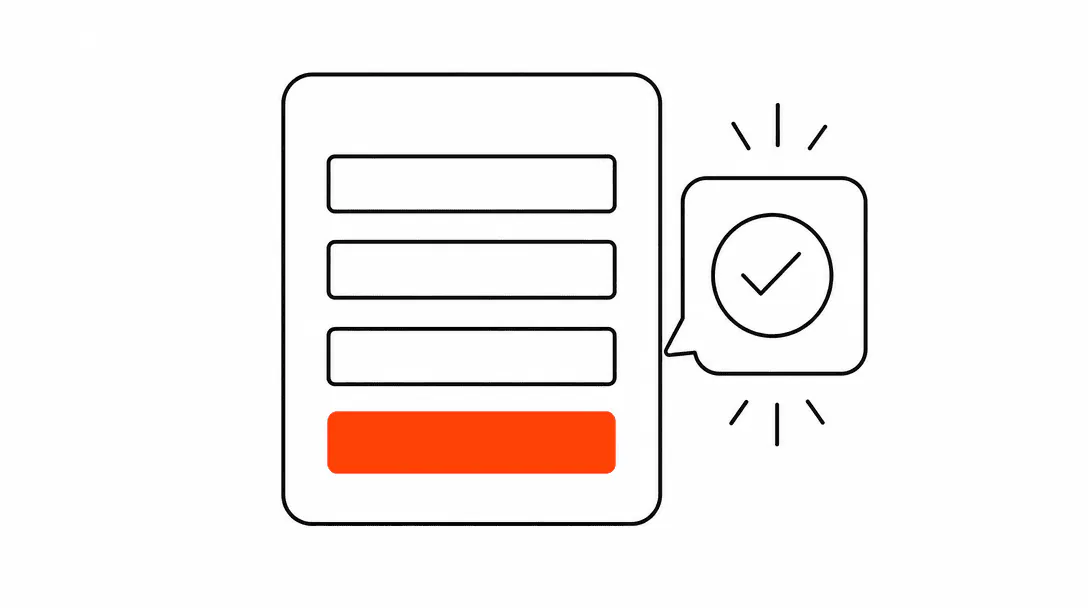
Your contact form is losing leads. Not because people do not want to reach out, but because somewhere between "I want to hire this business" and "I hit send," the system breaks. The form asks too much, confirms nothing, and sends the submission to an inbox that nobody checks until morning. By then, the lead has already booked someone who picked up the phone in twenty minutes.
This is not a traffic problem or a pricing problem. It is an operations problem, and it has a specific fix. The form itself is only one piece: the field count, the styling, the confirmation message, and what happens to the data after someone hits submit all determine whether an inquiry becomes a customer or disappears into the noise.
Why do contact forms stop working?
A contact form stops working when it asks too much, confirms nothing, or sends data somewhere it will not be acted on quickly. Each of those is a separate failure with a separate fix, which is why patching just the look of the form rarely solves the actual drop-off.
Think about what a prospect is doing when they land on your contact page. They have already decided they are interested. The question they are silently asking is: "Can I trust this business enough to hand over my phone number?" Every extra field you ask for before they have that answer is friction working against you. A form with six fields says "we need all of this before we'll even call you back." A form with three fields says "tell us who you are and what you need, and we'll take it from there."
Field count is the most measurable factor, but it is not the only one. When the form looks like a widget that was pasted in from somewhere else, with mismatched colors, a different font, and a generic blue submit button, it breaks the visual trust you spent the rest of the page building. Visitors notice. They may not be able to name what feels off, but they feel it.
Then there is the confirmation gap. A prospect submits the form and the page just... reloads. Or shows a tiny green bar they missed. They have no idea if it went through. A meaningful percentage of them will either resubmit, call to confirm, or assume the form was broken and move on. The ones who move on are gone.
Read more about the full picture of where service businesses lose inquiries in our guide to why service businesses lose leads.
How many fields should a contact form have?
Three fields is the target for most service business contact forms: name, phone number, and the service they need. That is it. Every field beyond three is a question you are asking before you have earned the right to ask it.
Across the service site builds we have done, we test this directly. Every time we cut a five-field form down to three fields (name, phone, service needed), completion rates climb. The biggest conversion killer is a message field positioned before the prospect knows whether you even serve their area. They stall out trying to write something coherent, decide it is too much effort, and close the tab.
The instinct to add a message field comes from a good place: you want context before you call. But that context is far easier to get in a two-minute phone call than by asking a stranger to compose a paragraph on your website. Get the name and number. Call them. You will learn more in sixty seconds than any text box would have told you.
Optional fields are just as dangerous as required ones. If it is on the form, a meaningful portion of people will try to fill it in, hit a decision point, and quit. The words "optional" and "required" both add cognitive load. A three-field form removes the decision entirely.
The average response time for inbound leads across small businesses, which is long enough for most prospects to move on to a competitor who responded faster.
Why does the form have to match the rest of your website?
A form that does not match your brand signals that the page was assembled from parts rather than built with intention, and prospects read that as a sign of how the business itself operates. This is not about aesthetics for the sake of it. It is about the trust signal a well-built page sends.
Your website has a specific color, a specific button style, a specific way it handles text. When a prospect hits your contact page and sees a widget that clearly came from a third-party form builder, with its own fonts, its own color choices, and a submit button styled in whatever the platform defaulted to, the experience breaks. The rest of the page said "professional, organized, takes care in what they build." The form says something else.
This is part of why we talk about a website as a complete system rather than a collection of individual pages. The form is not a detail you handle after the real design work. It is the last thing a prospect interacts with before becoming a lead. It should carry the same visual language as every other element on the page.
Styled forms are also simpler to build than most owners expect. In most cases it is a matter of matching the primary color to your submit button, using the same font stack as the rest of the page, and setting the input border to match your other UI elements. The structural work your site does is in the website foundation, and the form is part of that foundation.
What happens to the submission if you do not have a CRM?
Without a CRM connected to your form, the submission goes to an email inbox. It sits there until someone opens that inbox, reads it, and decides to respond. That is a manual, fragile process that depends entirely on someone being available and attentive at the right moment.
Here is the situation we see repeatedly: a roofing company has a contact form that sends submissions to a generic Gmail account. The owner is on a job site most of the day. They see the form email that evening, write a reply the next morning, and the homeowner who submitted it has already booked with a contractor who called them back within twenty minutes. The form worked. The system around it did not.
A CRM changes the equation because the submission does not just produce an email. It creates a contact record, starts a pipeline stage, and can trigger an automatic response or a task for your team. The lead is no longer sitting in a shared inbox waiting for someone to notice it. It is tracked, timestamped, and moving through a process.
Response speed is the single biggest lever in whether an inbound lead converts. Research from InsideSales and MIT found that a five-minute response beats a thirty-minute response by roughly 100 times on whether the prospect even picks up the phone. Your form submission fires that clock the moment someone hits send. The question is whether your back-end system can keep up.
Our post on how fast to respond to a lead covers the actual benchmarks and what a realistic response infrastructure looks like for a small service team.
Does the confirmation message actually matter?
Yes, and more than most owners realize. A confirmation message does two concrete things: it tells the prospect their submission went through, and it sets a specific expectation for when they will hear back. Without it, you are leaving the prospect in a state of uncertainty that a meaningful number of them will resolve by contacting someone else.
The confirmation does not need to be elaborate. A sentence that says "We received your message and will call you within one business day" is enough to stop the anxiety loop. What it signals is that a real business is on the other end: one that built this page intentionally, tells you what to expect, and will follow through. That is a differentiator in most service categories.
The stronger versions of this include a text or email confirmation sent directly to the prospect's phone. That requires a connected CRM and a basic automation, but the effect is immediate: the prospect gets a message in the next few minutes acknowledging their inquiry, and they feel like they are already in a system rather than waiting to be noticed. That feeling is what keeps them from calling the next business on their list.
This connects directly to the broader lead capture question. The form submission is not the end of the lead capture process. It is the beginning of a follow-up sequence that either moves the prospect toward a booked appointment or loses them to silence. Understanding how that full sequence should work is worth reading about separately in our overview of what a CRM pipeline is for service businesses.
What does a working contact form actually look like?
A working contact form has three fields, matches the visual language of the page it lives on, triggers an immediate confirmation to the prospect, and sends the submission into a CRM where someone will see it and act on it within minutes. Every one of those elements is load-bearing.
The field count is under control. The prospect gets to the submit button without hitting a decision point that makes them quit. The styling holds the trust the rest of the page built. The confirmation tells them their message landed. The CRM creates a record, a task, and a clock. And a follow-up process starts automatically so the lead does not die in an inbox.
When all of those pieces are in place, the form stops being a form and starts being the first step in a real intake process. That is the difference between a website that generates activity and a website that generates customers.
Getting this right is part of what we mean when we talk about building the operational layer of a service business website. The page design matters. The copy matters. But what happens at the form, and in the sixty seconds after someone submits it, is where most of the revenue either gets captured or escapes.
A properly integrated form is part of every site we build through our web design and conversion service. The automation that fires after the form submits is what we handle through our AI receptionist and automation service, including instant confirmations, CRM records, and follow-up sequences.