
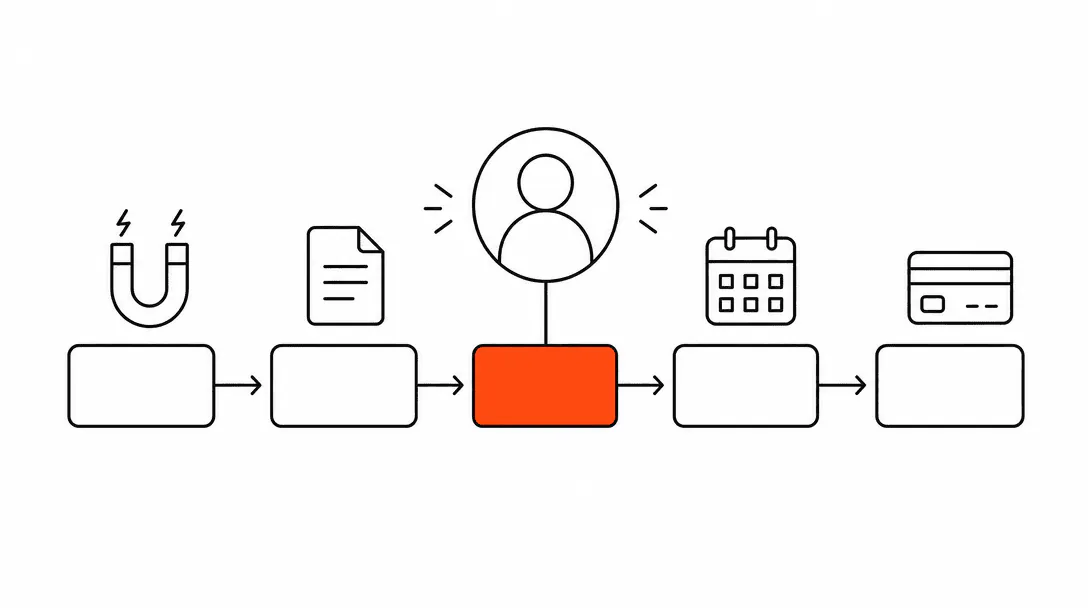
A CRM pipeline is a stage-by-stage view of every active lead or job in your business, showing you exactly where each one stands and what needs to happen next to move it forward. Think of it as a whiteboard with columns across the top (New Lead, Quoted, Followed Up, Booked, Paid) and each job as a card that slides from one column to the next until it is closed. The pipeline is the part of the CRM that runs your sales process.
Most service businesses already have a sales process. They just have no visibility into it. Leads come in by phone, text, and form. Someone jots a name on a notepad or opens a new tab in their email. A quote goes out. And then, far too often, nothing happens until the customer calls back or chooses someone else. The pipeline is what closes that gap.
What does CRM stand for, and what does it actually do?
CRM stands for Customer Relationship Management, and for a service business it is the system that stores your contacts, job history, notes, messages, and lead activity in one place. Your pipeline lives inside your CRM as the active, working view of deals in progress. The CRM is the filing cabinet; the pipeline is the board on the wall telling you what to do today.
Most CRM explainers are written for software salespeople with enterprise deal cycles. If you run a landscaping company, an HVAC operation, or a salon, those explanations miss the point entirely. Your version of a CRM is simpler: it keeps track of every person who has shown interest in your services, records every touchpoint with them, and makes sure the right action happens at the right time. That action might be sending a quote, making a follow-up call, or confirming a booking.
The pipeline inside that CRM is not a report you generate at the end of the month. It is a live operating tool you check every morning, the same way a warehouse manager checks inventory.
What stages should a service business pipeline have?
A service business pipeline works well with five to seven stages: New Lead, Qualified, Quoted, Followed Up, Booked, Job Complete, and Paid or Invoiced. Each stage represents a real milestone in your process, not a label you picked from a template. The stages only matter if they map to something your team actually does.
Here is what each stage typically means in practice:
- New Lead: A name and contact just arrived. Nothing has happened yet. Every new form submission, missed call, or referral lands here automatically when the system is wired correctly.
- Qualified: You have confirmed this person has a real need and can move forward. For smaller jobs this stage is often skipped; for larger projects it is where the intake conversation happens.
- Quoted: A proposal or estimate has been sent. This is where most service businesses lose jobs silently. The lead sits in this stage, hears nothing, and books with someone else.
- Followed Up: At least one touchpoint has happened after the quote. A phone call, a text, a check-in email. Moving a lead here is intentional, not automatic.
- Booked: The customer said yes and a date is on the calendar.
- Job Complete: The work is done. This is where review requests and referral asks belong.
- Paid: The invoice is settled. Close the card.
You can also add a Lost or Cold stage for prospects who went quiet. Do not let old quoted jobs sit in the Quoted stage forever. Move them to Lost, keep the record, and let an automated re-engagement sequence check back in at 30, 60, and 90 days. Many businesses book jobs from leads they wrote off months earlier.
Why do service businesses lose so many quoted jobs?
Most quoted jobs that go nowhere are lost to silence, not to price. The business sends an estimate and waits. The customer gets busy, receives a follow-up from a competitor, and books them instead. There is no bad intent from the customer and no awareness from the business that the job was ever at risk.
The average time businesses take to respond to a new inbound lead, and nearly 1 in 4 never respond at all.
The follow-up problem is well-documented. Research from Marketing Donut found that most sales require five or more follow-up contacts, yet 44% of businesses stop after one attempt. For a service business, this often means sending a single quote, getting no reply, and writing the job off as a lost cause when it was actually still winnable. The lead was not lost to a competitor who was better or cheaper. It was lost to a competitor who simply showed up again.
A pipeline makes this problem visible. When you can see every card sitting in the Quoted stage and sort by how many days it has been there, you know exactly which jobs need attention today. Without that view, there is no way to know what you are losing or why.
What does a CRM pipeline replace for most service businesses?
A CRM pipeline replaces the combination of tools most service businesses cobble together: the spiral notebook by the front desk, the sticky notes on the monitor, the "follow up with Mike" reminder buried in a text thread, the shared Google Sheet that is three months out of date. Each of those systems holds pieces of information that should be connected. The pipeline puts them in one place.
When we build a CRM pipeline for a new client, we always start by asking the same two questions: how many quotes did you send last month, and how many of those turned into jobs? The answer is almost always the same. The business owner does not know the first number and has no way to calculate the second. When we connect their CRM and pull 90 days of history, the conversion rate from quote to booked job is almost always below 40%, and nearly every lost job has zero follow-up activity recorded. The jobs were not lost because the business is bad at what it does. They were lost because there was no system watching the pipeline and prompting action.
A landscaping company we onboarded tracked every inquiry in a notebook kept at the front desk. They knew they were losing work to competitors but had no way to tell whether those jobs had been quoted and ghosted, or whether the lead had just never been followed up on at all. The two situations require completely different fixes. Without a pipeline, there is no way to know which problem you actually have.
How does a CRM pipeline connect to automation?
The pipeline is the trigger for most of the automation that runs a modern service business. When a lead moves from New to Quoted, an automatic follow-up sequence can start. When a lead moves to Booked, a confirmation text and appointment reminder series fires. When a job moves to Complete, a review request goes out the next morning. The pipeline stages are the conditions; the automations are the responses.
This is where a CRM becomes genuinely useful rather than just organized. You are not relying on someone to remember to send the follow-up text after a quote goes out. The system sees the stage change and handles it. If the customer replies and books, the sequence stops. If they do not reply in three days, a second touchpoint goes out. This is the operational logic that service businesses used to have to hire someone to manage by hand.
Understanding why service businesses lose leads is the first step. The pipeline is the infrastructure that fixes the problem. And once you understand how the stages trigger behavior, the question of how many times to follow up with a lead becomes answerable by the data in your own pipeline rather than a guess.
One of the most common entry points to this whole system is the missed-call text-back. When a call goes unanswered, the system sends a text within seconds. That text starts a conversation and routes the lead into the pipeline as a New Lead automatically, with the original call timestamp attached. Most service businesses are surprised by how many inbound leads come from the calls they thought they were just missing. If this is new territory, the post on missed-call text-back covers how it works in plain terms.
What CRM should a service business use?
The right CRM for a service business is the one that matches how your team actually works, not the one with the most features listed on a comparison site. For most small service operations (under 20 employees, under a few hundred active leads at any time), a CRM built for service businesses or small business pipelines is more practical than an enterprise platform designed for software sales teams.
The criteria that matter most are straightforward. First, can you build the pipeline stages you actually use, not a generic set of prebuilt stages? Second, does it connect to your phone and text channels so every call and message is logged automatically, without someone manually copying notes? Third, can automations fire based on stage changes, so the follow-up sequences run without anyone having to remember to start them?
A CRM that meets those three criteria will do more for your business than one with twenty integrations you will never use. The goal is a system your team will actually maintain, because a CRM that is not updated is just an expensive address book.
If you are evaluating options, the deeper guide on building a website and operations foundation covers how the CRM fits alongside your website, booking system, and contact forms as connected infrastructure rather than separate tools.
How do you know your pipeline is actually working?
A pipeline that is working tells you three things clearly: how many active leads you have right now, where each one is stuck, and whether your conversion rate from quote to booked job is improving over time. If you cannot answer all three in under two minutes, the pipeline needs attention.
The metrics that matter most for a service business pipeline are not complicated. Track how many leads enter the pipeline each week, how many reach the Quoted stage, how many convert to Booked, and how many close as Paid. That funnel tells you where the drop-off is. If most leads never make it past New, the problem is speed of response. If most drop between Quoted and Booked, the problem is follow-up. If most book but conversion to Paid is low, the problem is a different one entirely.
Across the systems we have built, the most common problem is exactly what you would expect: quoted jobs that sit without a second touchpoint. Fixing that one failure in the pipeline, by automating a follow-up sequence that starts 48 hours after a quote goes out and does not stop until there is a response, changes the conversion rate more than any other single improvement.
Is a CRM pipeline the same as an online booking system?
A CRM pipeline and an online booking system serve different functions, though they need to be connected. An online booking tool lets a customer pick a time and confirm an appointment without calling you. The pipeline tracks the entire journey that led to that booking and everything that happens afterward. The booking is one stage in the pipeline, not the pipeline itself.
Many service businesses set up online booking and expect it to solve their lead management problem. It solves part of it: customers who are already decided can book without friction. But it does nothing for the leads who filled out a contact form at 9 pm, or called on a Tuesday and reached voicemail, or got a quote last week and have not responded. Those leads need the pipeline, not the booking link.
The right setup connects both: the booking tool captures the customers who are ready to commit, and the pipeline captures everyone else and works to convert them into that same state. When both are running, you are not just serving the customers who were already going to book. You are recovering the ones who almost did. This is the foundation of how we build the AI Automation system for Treasure Coast service businesses: CRM, pipeline, and automated follow-up as a connected layer under your website and booking infrastructure.