
An interactive quiz turns your website from a brochure into a conversation. Instead of asking a visitor to fill out a form and wait, you ask them a few questions and give them something useful back. That exchange produces far more contacts than a standard form, and it sends better information into your CRM so your follow-up is actually relevant to what the person needs.
This post covers the mechanics: how to structure the question logic, how to use scores to route leads to the right next step, and how to wire the whole thing into your CRM so the process runs without manual sorting. A quiz is one of the most effective tools inside a conversion-optimized website because it qualifies visitors before they ever reach your booking calendar. This is part of a broader look at how to turn website visitors into customers through systems that do the work consistently, not just when someone remembers to follow up.
Why does a quiz outperform a contact form for lead capture?
A quiz gives the visitor something in return for their contact information: a personalized result. That value exchange is what drives higher completion rates. A static form asks for your name, phone, and email with nothing concrete on offer. A quiz says "answer five questions and we'll tell you the state of your roof" or "find out which service your business actually needs right now." The visitor has a reason to finish.
The data quality is also better. A form captures contact details. A quiz captures what the person actually told you: their situation, their budget range, their urgency, their specific problem. When your team or your automation follows up, it can reference that information directly instead of opening with a generic "how can we help?" That specificity is what gets a response.
For service businesses in particular, a quiz solves a second problem: it pre-qualifies before anyone picks up the phone. If someone scores high on an urgency-weighted quiz, that is a same-day call. If someone scores low, that is a nurture email, not a wasted sales conversation. The routing logic does the triage automatically.
How should you structure the quiz questions?
Build the questions backward from the routing outcomes you want, not from "what would be interesting to ask." This is the principle we follow every time we wire a quiz into a client's CRM account. The routing automation is designed before the quiz questions are finalized. We decide first: what does a high-priority lead look like? What does a warm lead look like? What does a not-ready-yet lead look like? Then we write questions that reliably separate those three groups.
Five to seven questions is the right range for most service businesses. Fewer than four and the score is not meaningful enough to route on. More than eight and you start losing people mid-quiz, especially on mobile where patience is short.
Every question should do one of two things: reveal urgency or reveal fit. Urgency questions surface how pressing the problem is right now ("How long have you noticed this?", "Has it gotten worse in the last six months?"). Fit questions surface whether this person is a reasonable prospect for your service ("What is the approximate square footage of the area?", "Are you the decision-maker for this project?"). Avoid questions that are interesting but don't change the result. If removing a question wouldn't change anyone's score, cut it.
Weight your scoring so urgency carries more than fit. A person with a high-urgency problem who might not be the perfect profile is still worth a call. A low-urgency, perfect-profile visitor can go into a nurture sequence and be back in three months.
The average time American companies take to respond to an inbound lead, according to research published in Harvard Business Review (2011). A routed quiz lead that triggers an immediate automated follow-up sidesteps this gap entirely.
Should you show the result before or after asking for an email?
Show the result first. Asking for an email before the visitor has seen anything valuable is the single most common reason quiz completion rates stall. The person has not yet gotten what they came for, so handing over contact information feels like a toll, not a trade.
The sequence that works: questions, then a summary result screen, then an email capture with a specific offer attached ("Enter your email to receive your full report" or "Book a call to talk through what this means for your property"). The visitor has already seen that the quiz knows something about their situation. That makes the email ask feel like the natural next step, not a data grab.
One exception: if your result is genuinely complex (a multi-page PDF report, a custom cost estimate, something that takes real work to generate), gating that behind the email is reasonable. The result teaser they see before the gate still needs to feel substantive. A vague "You scored 72 out of 100" with no context is not a result; it is a placeholder.
How does score-based routing work in practice?
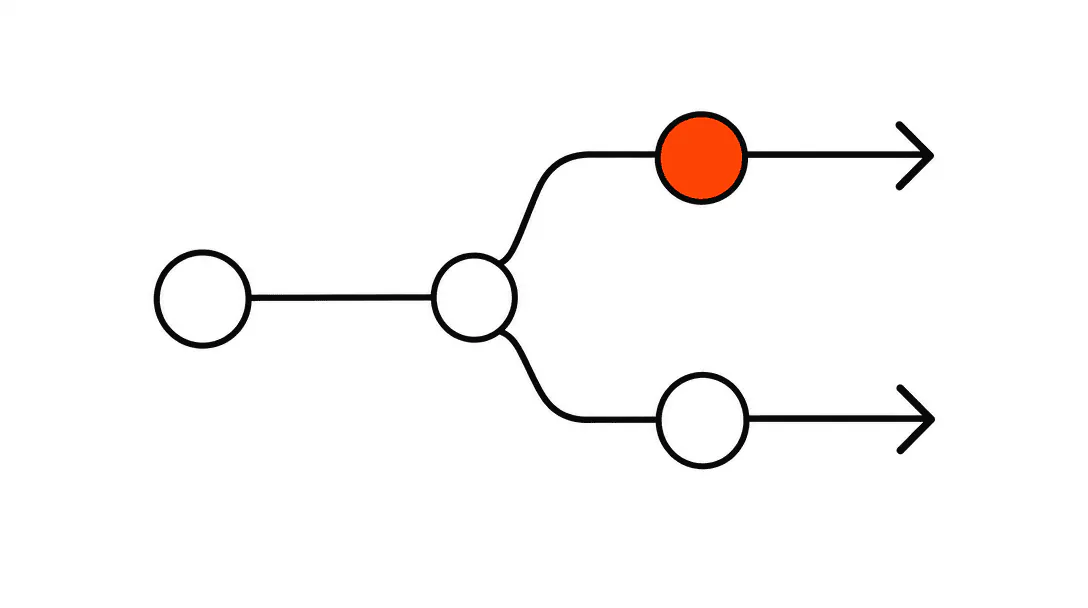
Score-based routing means the quiz fires a different next step depending on where the visitor lands on your scoring scale. High scores get your most direct conversion offer. Mid-range scores enter an automated sequence. Low scores get a resource and a soft follow-up. The division points are yours to set; what matters is that every band has a defined action, not just a result page.
A roofing company we worked with built a "Is your roof at risk?" quiz on their homepage and saw 80 completions in the first month. The score routing let them separate that list cleanly: the high-urgency completions (storm damage indicators, older roof age, recent leak reports) went to a same-day call list. The mid-range completions entered a short email sequence explaining what to watch for before a free inspection. The low-urgency completions got a seasonal maintenance guide and a calendar invitation to reconnect in six months. Without routing, all 80 completions would have gone into a single pile for someone to manually sort through, and most of them would have been forgotten.
The mechanics are straightforward. Each answer carries a point value. The quiz totals the points and compares the result to your defined bands. A webhook fires when the quiz is completed, carrying the score, the band name, and the individual answers. Your CRM catches the webhook, creates the contact record, tags it with the appropriate band, and starts the matching automation. The person never knows any of that is happening. From their view, they answered some questions and got a useful result.
For a deeper look at what happens after that initial contact, the post on nurture sequences after inquiry covers how to structure the follow-up so warm leads stay warm without requiring manual touches. Pairing a quiz with a full lead automation system means every scored contact flows into the right pipeline automatically.
How do you connect the quiz to your CRM?
The connection point is a webhook: a URL your CRM provides that accepts incoming data. When a visitor completes the quiz, the quiz platform sends a POST request to that URL containing the contact information and the quiz results. Your CRM receives it and acts on it.
Most quiz platforms (Typeform, Involve.me, Jotform, and purpose-built tools like Scoreapp) have native webhook support. You copy the webhook URL from your CRM, paste it into the quiz platform's integration settings, and map the quiz fields to your CRM contact fields. Score goes to a custom field. Band name becomes a tag. Individual answers can go into custom fields if you want to surface them in the contact record.
When we build these for clients, we treat the CRM side as the primary design surface and work backward. The automation in the CRM needs to be built before the quiz goes live, not added afterward. Each band needs a complete branch: a tag to trigger on, a sequence to enroll the contact in, and an exit condition so the contact does not stay in the sequence indefinitely if they book a call or reply. This is the same principle we apply to any lead magnet for a service business: the asset is only as valuable as the system it feeds.
What should the result screen actually say?
The result screen is the moment the visitor decides whether this quiz was worth their time. It needs to do three things: confirm what the quiz learned about them, name what that means for their situation, and give them a clear next step.
Confirming what the quiz learned means referencing their answers directly, not just their score. "Based on your answers, your roof is showing three of the five warning signs we look for before recommending an inspection" is far more convincing than "Your score is 74." The specificity signals that the quiz was actually processing their information, not just running them through a funnel.
Naming what it means gives context. A score alone does not tell someone what to do. "This puts you in the category we'd consider moderate urgency" gives them a frame. "Most homeowners in this range wait until they see visible water damage, which typically costs two to three times more to remediate" gives them a reason to act now. That context comes from your actual expertise in your trade, and it is what makes your quiz feel different from a competitor's generic assessment.
The next step should match the band. High-urgency result: a direct link to your booking calendar. Mid-range result: a specific email opt-in ("Get the full inspection checklist"). Low-urgency result: a guide or resource with a softer CTA. One next step per result screen. Multiple options produce paralysis.
Where on your website should the quiz live?
The homepage is the highest-traffic placement, but it is not always the right one. A quiz on the homepage needs to be relevant to every visitor who might land there. A broad "Which service do you need?" quiz can work on a homepage. A highly specific "Is your HVAC system due for replacement?" quiz belongs on your HVAC service page or in a targeted ad campaign.
Placement should match traffic source. If you are running paid traffic to a specific service, the quiz on that landing page should be specific to that service. General traffic from organic search can handle a slightly broader quiz, but even then, start with a question that immediately signals this quiz is for their situation. A visitor who searches "roof damage after storm" should land on something that opens with roof condition, not a general home services quiz.
One placement that consistently produces results: the exit intent layer. A visitor who is about to leave the page sees a minimal version of the quiz ("Quick question: how old is your roof?") that, if answered, pulls them into the full experience. This captures people who were not ready to fill out a contact form but were willing to answer one question about their own situation.
If you are working through the broader question of how your website converts visitors at each stage, the landing page guide covers the structural elements that make a page convert before a quiz is even in the picture.
Quiz, calculator, or assessment: which format is right for your trade?
The format depends on what the visitor needs to believe before they will give you their contact information. If they need to understand their risk, an assessment or quiz works well ("Is your electrical panel a fire hazard?"). If they need to understand cost, a calculator is more convincing ("What would a roof replacement cost in your area?"). If they need to understand fit, a quiz that ends with a recommendation is the right shape ("Which service package matches your situation?").
Calculators are high-trust converters when the inputs are real and the output is plausible. A cost calculator that asks four serious questions and produces a range tied to real market pricing earns trust. One that asks two vague questions and outputs "Call for a quote" does not. Calculators require accurate underlying data, which means they are more work to build and maintain as your pricing changes.
Assessments work well in industries where the visitor has a fear or uncertainty they want confirmed or dismissed. Roofing, HVAC, electrical, plumbing, and pest control all have natural assessment angles: the visitor is worried something is wrong, and the assessment either confirms it (high urgency, call now) or reassures them with a maintenance recommendation (low urgency, nurture). The emotional relief of a clear answer is itself a conversion driver.
How do you keep quiz leads moving once they are in the CRM?
The failure mode is building the quiz, celebrating the completions, and then leaving the nurture sequences half-finished. Completions without follow-through are just email addresses in a spreadsheet.
Each band needs a complete sequence before the quiz goes live. The high-urgency band needs immediate contact: an automated text within five minutes, a call attempt within the hour, and a voicemail if you miss them. The research on lead response timing is unambiguous. A five-minute response outperforms a thirty-minute response by roughly 100 times on contact rate (InsideSales/MIT, 2007). The quiz gives you a meaningful reason to call: "I saw you took our roof assessment and your results flagged a couple of things worth talking through."
The mid-range band needs a short sequence that builds credibility and stays relevant to their specific score. Four or five messages over two weeks, each one tied to something their quiz answers revealed. Not a generic email newsletter. Not a sales pitch in email three. Useful information that makes them more confident in their eventual decision to hire you.
The low-urgency band needs patience. A resource, a follow-up in thirty days, and a re-engagement message at ninety days. Most of these people are not ready yet. Some of them will be ready in six months. The ones who get a relevant message at the right time will remember your name because you stayed helpful without being pushy.
The post on building nurture sequences after inquiry covers how to structure these message chains so they do not feel like automated blasts.
What numbers should you track to know if the quiz is working?
Four metrics tell you almost everything you need to know. Completion rate (completions divided by quiz starts) tells you whether the questions are well-designed and the experience is smooth. Below 60% is a signal to shorten the quiz or simplify the language. Contact capture rate (email submissions divided by completions) tells you whether the result screen is compelling enough to earn the contact information. Routing accuracy tells you whether your band thresholds are set correctly (if 80% of completions land in the high-urgency band, your scoring is too aggressive). Downstream conversion rate tells you whether quiz leads actually become customers at a different rate than other leads.
That last metric is the one that justifies the build. If quiz leads close at a higher rate than cold form submissions (which they typically do, because they arrive pre-qualified and with context), you have a system worth expanding and optimizing.